Use the Advanced Search Tool in your Library
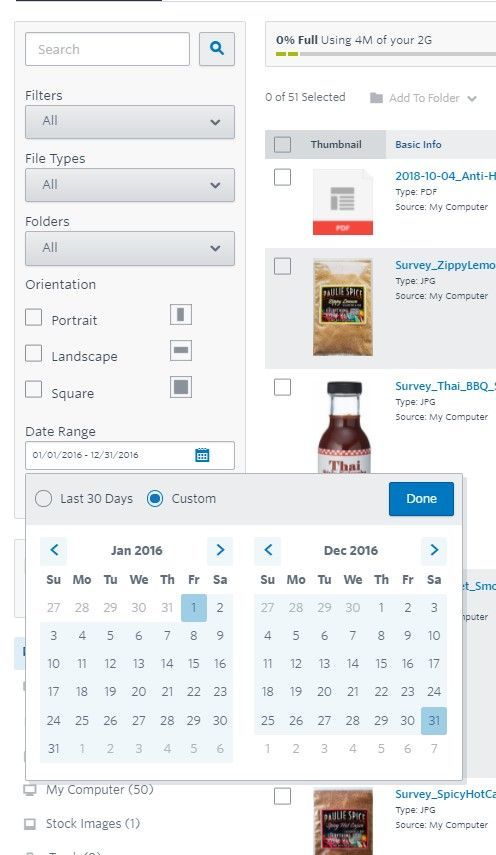
I'd like to delete old documents from previous years in my library. I'm having a hard time going back to more than this month in the past. I need a date range that is 1/1/2016 to 12/31/2016. How do I do that?
2 replies
Best reply by William A
Hello @Liz-8 ,
Simply click the calendar icon in the date search, and navigate the calendars to set your parameters for 1/1/2016 and 12/31/2016.
Popular Posts:
🎥 Stream Queens: creating video content for online marketing
📊 What Industry Are You In? Cast Your Vote!
🤖 Top AI Tools for Small Business Owners