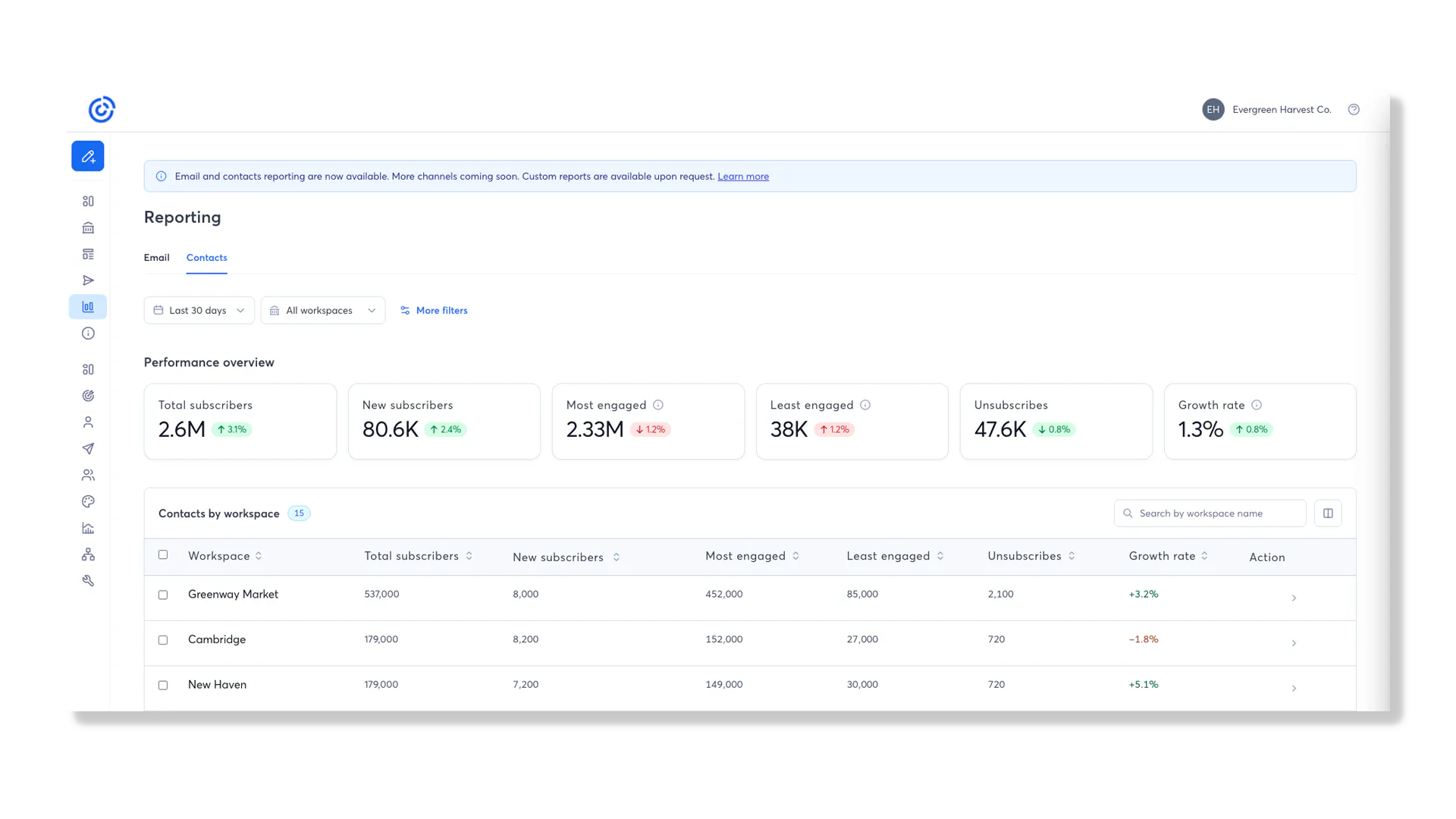
Contacts Reporting gives Teams administrators a centralized view of contact list health, growth, and churn across their entire organization. It replaces manual account impersonation, individual CSV exports, and spreadsheet consolidation with a single reporting dashboard.
What’s Included
Portfolio health at a glance: View Total Active Contacts, Contacts Gained, Contacts Lost, and Net Change across the organization.
Trend visualizations: Use date-range trend lines to understand progress and compare performance over time.
Workspace-level reporting: Compare contact metrics across individual workspaces from the same screen.
Search and sorting: Search for specific workspaces and sort performance to identify leading or lagging locations.
Workspace drill-in: Open a workspace’s Contacts page to review and manage individual contacts without first impersonating the account.
Customizable columns: Reorder or hide reporting columns, with preferences retained across login sessions.
Exportable reporting: Export selected workspace data as a CSV for offline analysis and leadership reporting.