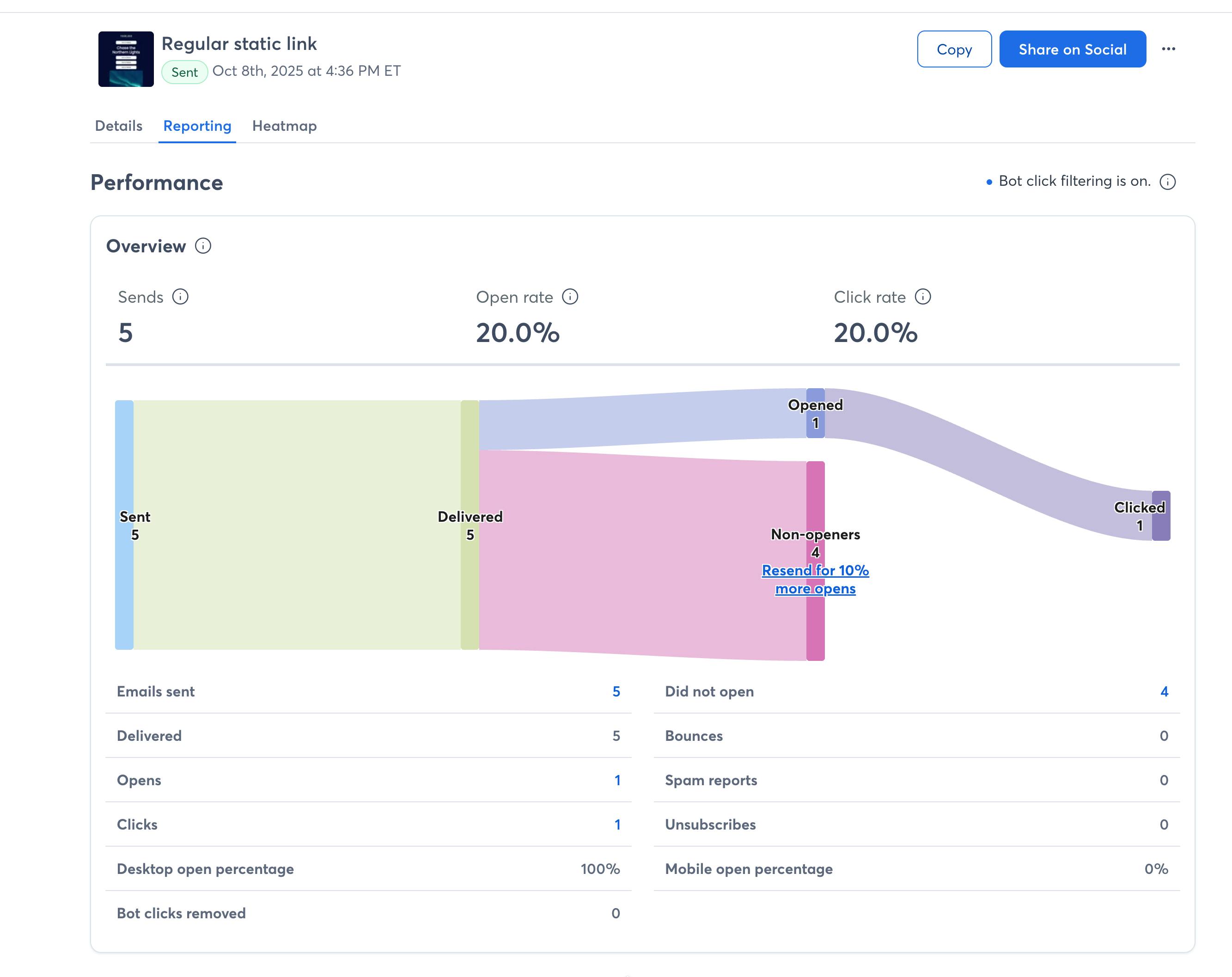
Discover a new way to track your email performance with our Sankey diagram. Follow what happens to your emails after they’re sent: see how many are delivered or bounced, and then how many of the delivered ones are opened or clicked. You can still access your detailed metrics reports by clicking on the numbers below the chart, just like you did on the previous page.
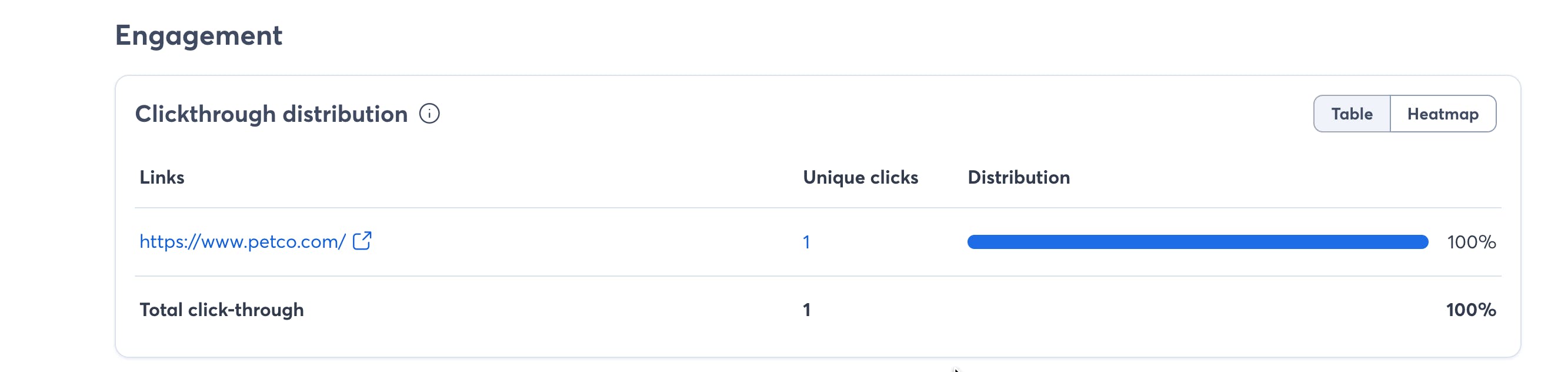
Check the **Engagement** section to find out which parts of your email are getting the most interaction, including a detailed breakdown of clicks on each link. If you’re on one of our newer plans, you’ll also see a **heatmap** that highlights where clicks are most heavily concentrated within your email.
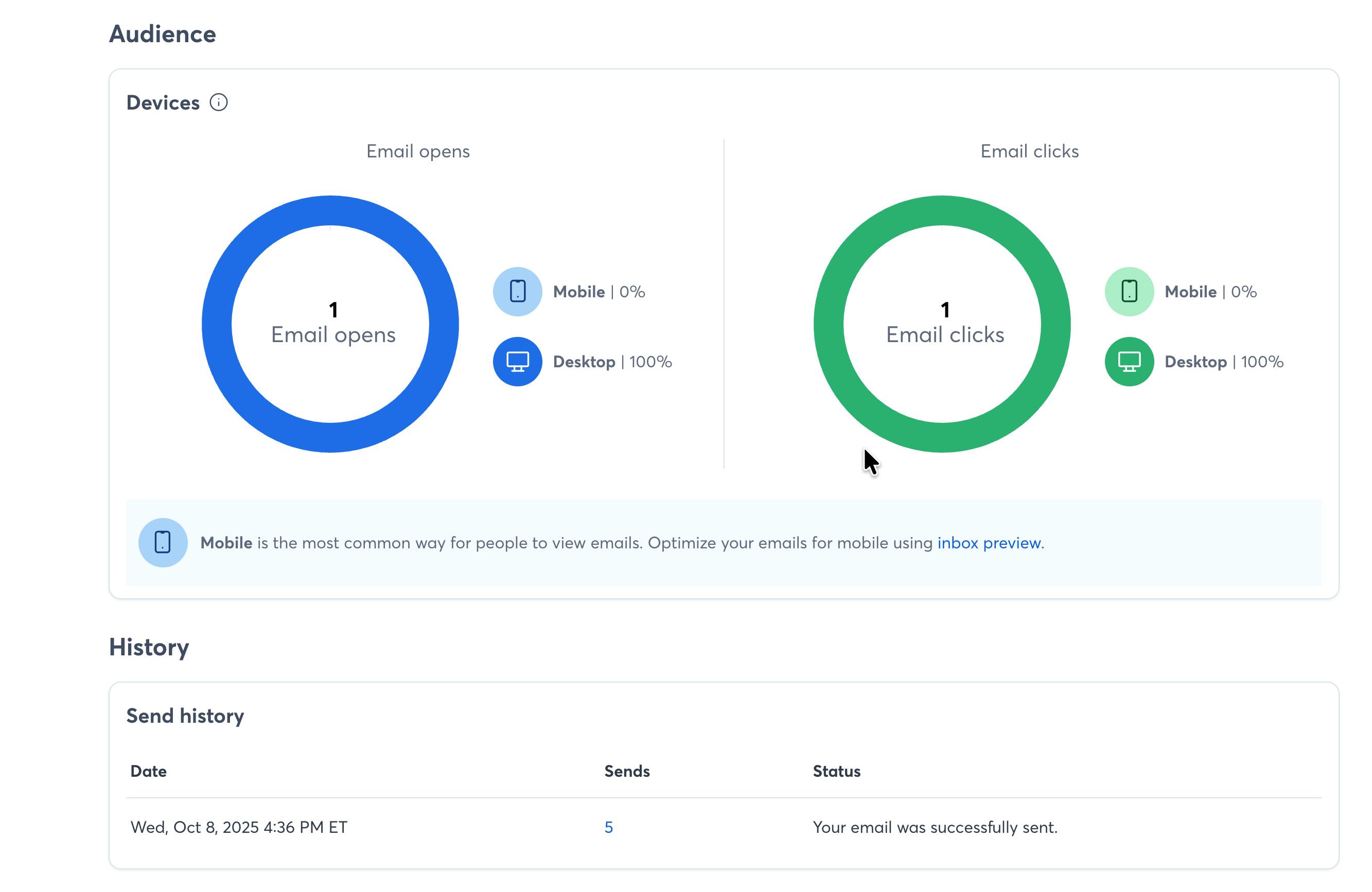
The updated Audience and History sections give you a breakdown of what kinds of devices your contacts are using to open and click on your email, as well as when your email was sent (and to how many contacts). If you use something like Resend to Non-openers at a future date, those sends will show up here.
New feature
Updated single email reporting
Mon, Nov 24