

Time: 10 Minutes | Goal: Engagement & Brand Awareness | Level: Beginner
You don’t need to write a novel. The best newsletters are short, targeted updates that keep your business top-of-mind. Let’s build one.
Did you know that email is 40x more effective at acquiring new customers than Facebook and Twitter combined? It’s true. While social media algorithms hide your posts, email lands directly in your customer's pocket. For every $1 you spend on email marketing, the average return is $36. It is the single most profitable thing you can do for your business in under 15 minutes.
Step 1: Pick a Purpose
Don't stare at a blank screen. Before you open the editor, pick an angle.
The Status Update: What has your business been up to? ("We finished the patio renovation!")
Share Knowledge: Give a quick tip, a helpful stat, or a quote relevant to your industry.
The Personal Touch: A short story about an employee or a customer spotlight.
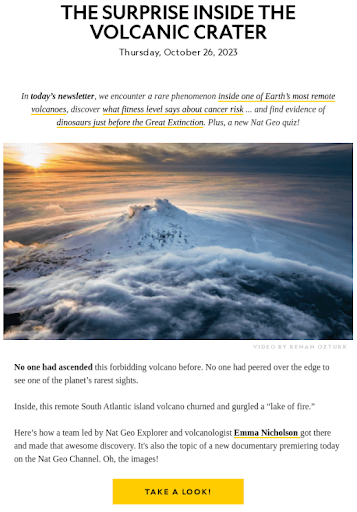
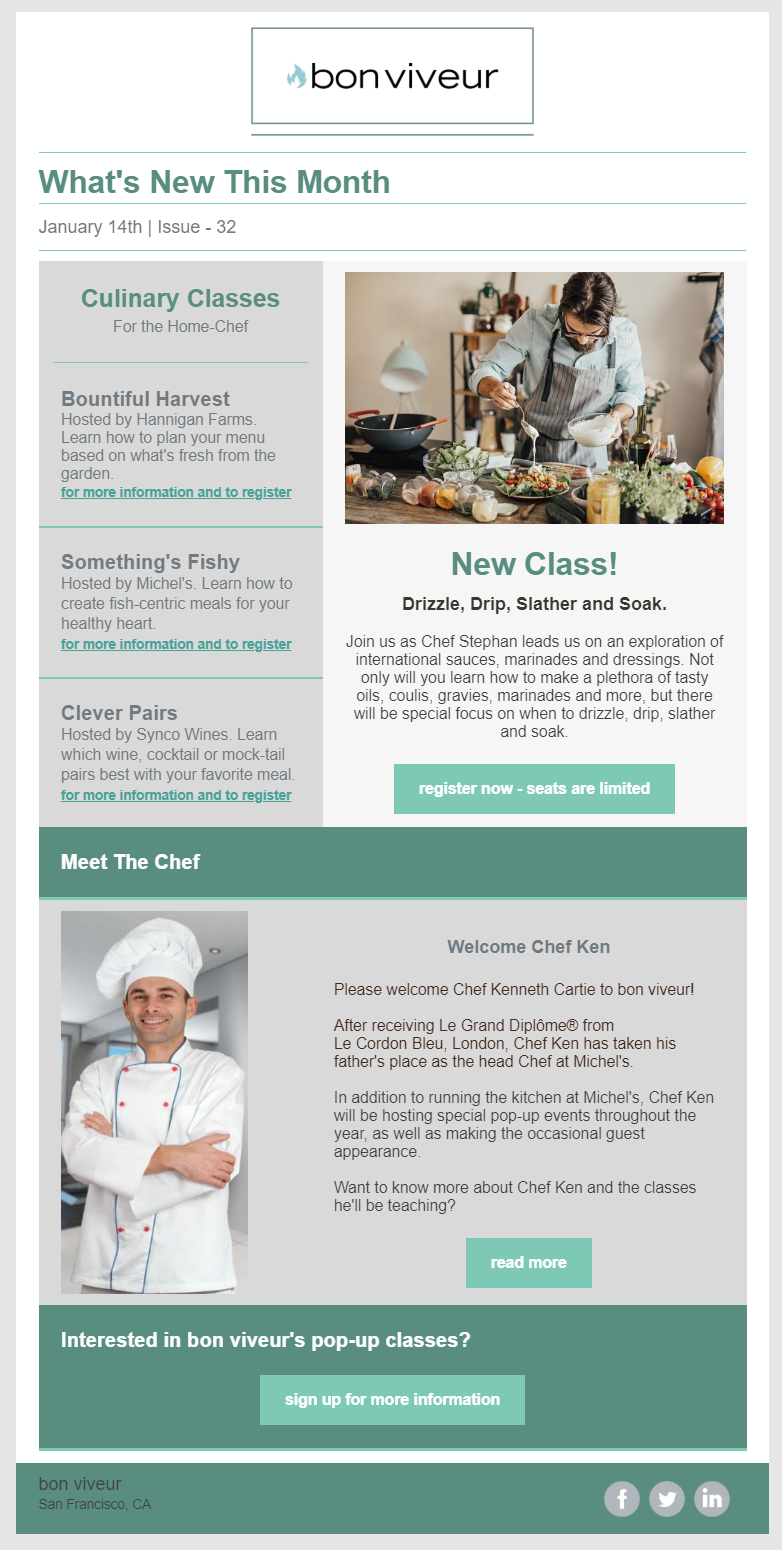
Here are some effective examples:
National Geographic
bon viveur
Step 2: Choose Your Template
Click Create and select Email.
Search for "Newsletter" in the template library.
Choose a template that matches the amount of content you have. If you only have one update, choose a simple card layout.

Step 3: Add Your Content ("Read More")
Keep it short: Most people read emails on phones. If you have a long article or blog post, do not paste the whole thing in the email.
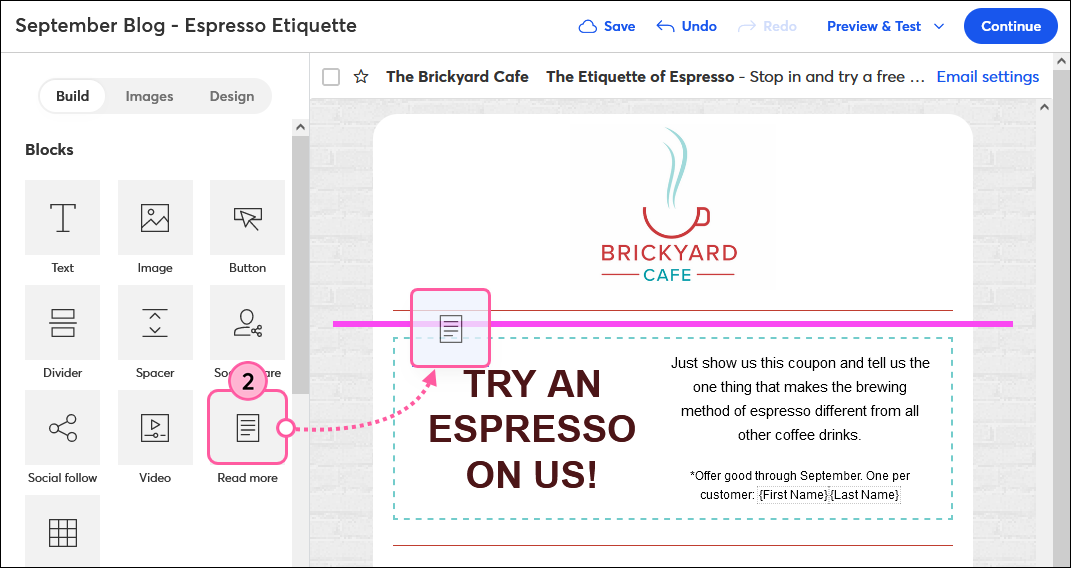
Use the "Read More" Block: Drag this block into your template. Paste the URL of the article on your website. Constant Contact will automatically pull the image and the first few lines of text for you.
Why? This keeps the email clean and drives traffic to your website.
Step 4: Add a Clear Call-to-Action (CTA)
Every newsletter needs a next step. Don't rely on text links—they are hard to tap on mobile.
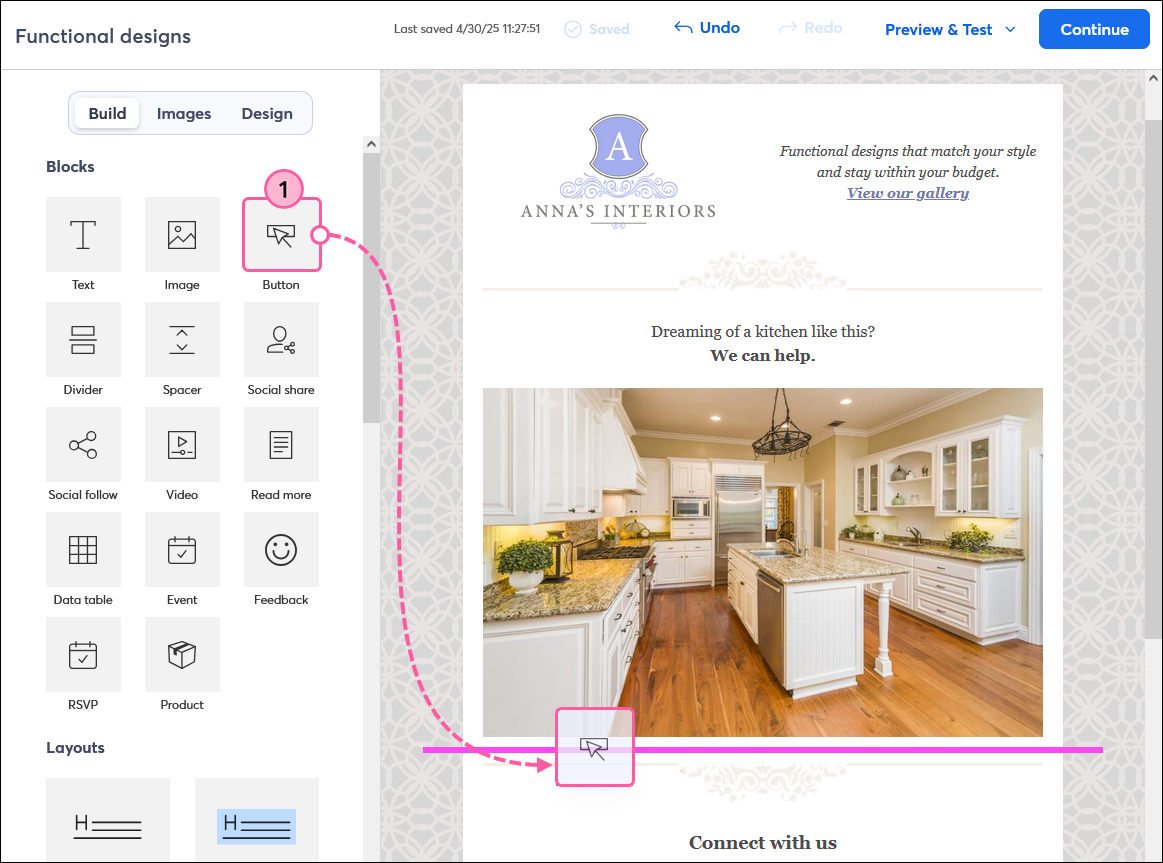
Drag in a Button Block.
Change the text to an action verb: Read the Story, Register Now, or Visit Our Store.
Link it: Ensure it goes directly to the page where they can take that action.
Step 5: Check Mobile & Send
Click Preview and toggle to the Mobile View.
Does your image look good? Is the text large enough?
Send a Test to yourself to double-check links.
Hit Send.


