
I want to delete all old (over 2 years old) campaigns all at one time. Individually is unworkable as it takes too long and too many keystrokes. Suggestions?
delete old campaigns as a whole
2 replies
Best reply by Chris S
Hey JeffryE1,
Right now, there is no single one-click button to automatically find and delete all campaigns.
However, here is the most efficient workaround to clear old campaigns:
The Fastest Manual Method
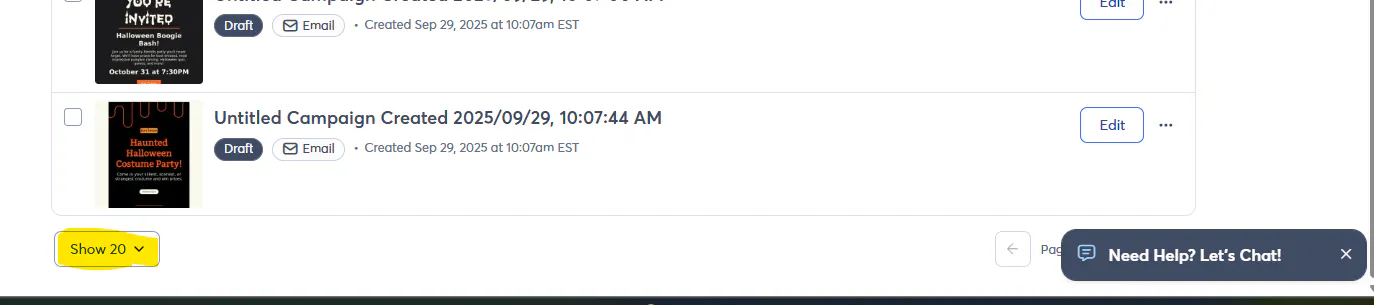
Go to the Campaigns tab and scroll to the bottom of the list and change the Items per page dropdown to the maximum number allowed (50). This allows you to delete up to 50 campaigns at a time instead of just 20.
Bulk Select & Delete:
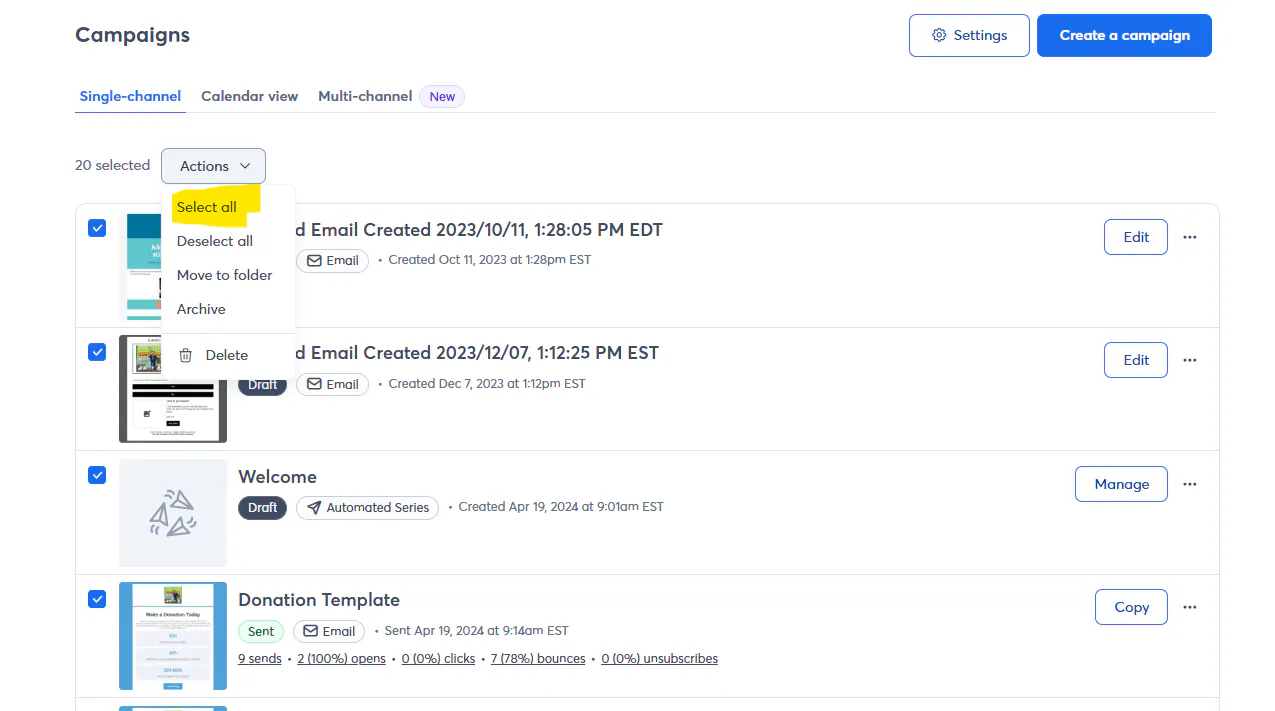
Check the Select All box at the very top left of the list header. This will select everything visible on the current page.
Click the Actions button and select Delete.
Confirm the deletion.
Webinar
Join us to learn about successful email lists, from onboarding to database maintenance. May 28, 2026 - 2:00 pm ET

The world's largest virtual email marketing conference. November 12-13th.
