

Need to know how to embed this video sticker showing if recipents click on the picture it contains a video
Thank you /Nicola
Need to know how to embed this video sticker showing if recipents click on the picture it contains a video
Thank you /Nicola
Hi RaphaelA85. In Constant Contact, you're not able to layer photos. This will need to be done outside of the program.
If you are using the video block to share a video hosted on YouTube, Vimeo, Wistia and other sites, it will automatically place a "play" icon over the video to show your contacts that the image is a video.
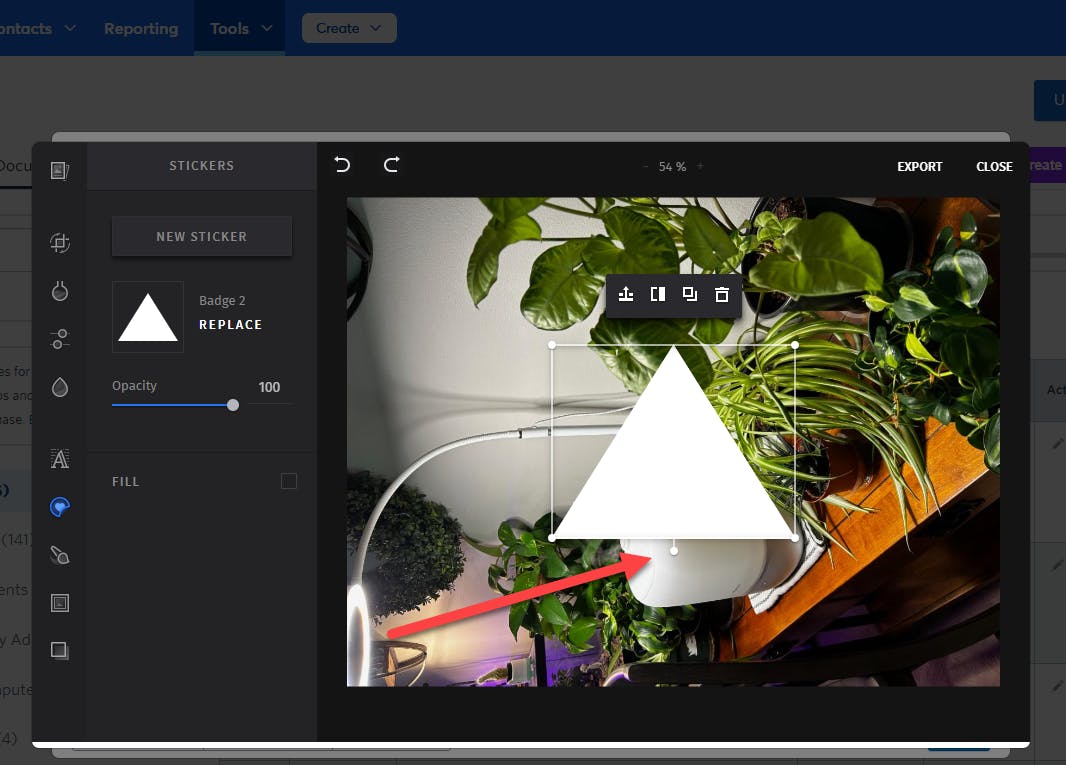
If you are using a clickable image to direct your contacts to an externally hosted video other than the ones listed above, you can use the Image Editor to place a triangle over the photo, similar to a play icon. You will rotate the sticker 90 degrees to the left to have it appear as a play icon by clicking and dragging the small circle below the sticker. Click Export to save the photo and then you can use it in your email.
Join our free, interactive event with expert Jay Schwedelson to learn data-backed strategies for high-performing subject lines. June 25, 2026

