
How do I share a magazine article to all my social media accounts?
How do I share a magazine article to all my social media accounts
1
1 reply
Best reply by Chris S
Hi EdwardS790,
You can manage your social media by creating, scheduling, and posting content directly to Facebook, Instagram, LinkedIn, and TikTok. First you will need to connect your social accounts to your Constant Contact account. Here's how:
Click the Accounts tab.
Click the social platform you would like to connect .
Note: You can also connect to a standalone Instagram account, LinkedIn, and TikTok.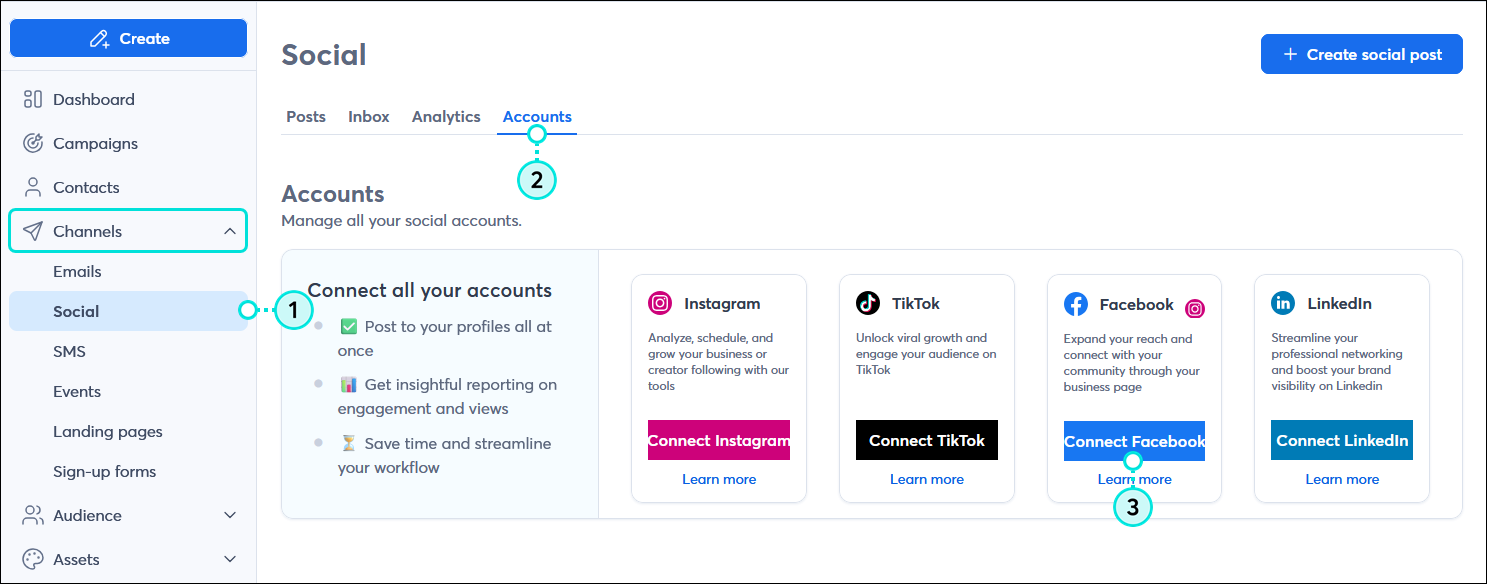
Once you have connected your social media accounts you can then create your post for the magazine article.
In the left-hand menu, click Channels > Social.
Click the + Create social post button in the upper right-hand corner of the page.
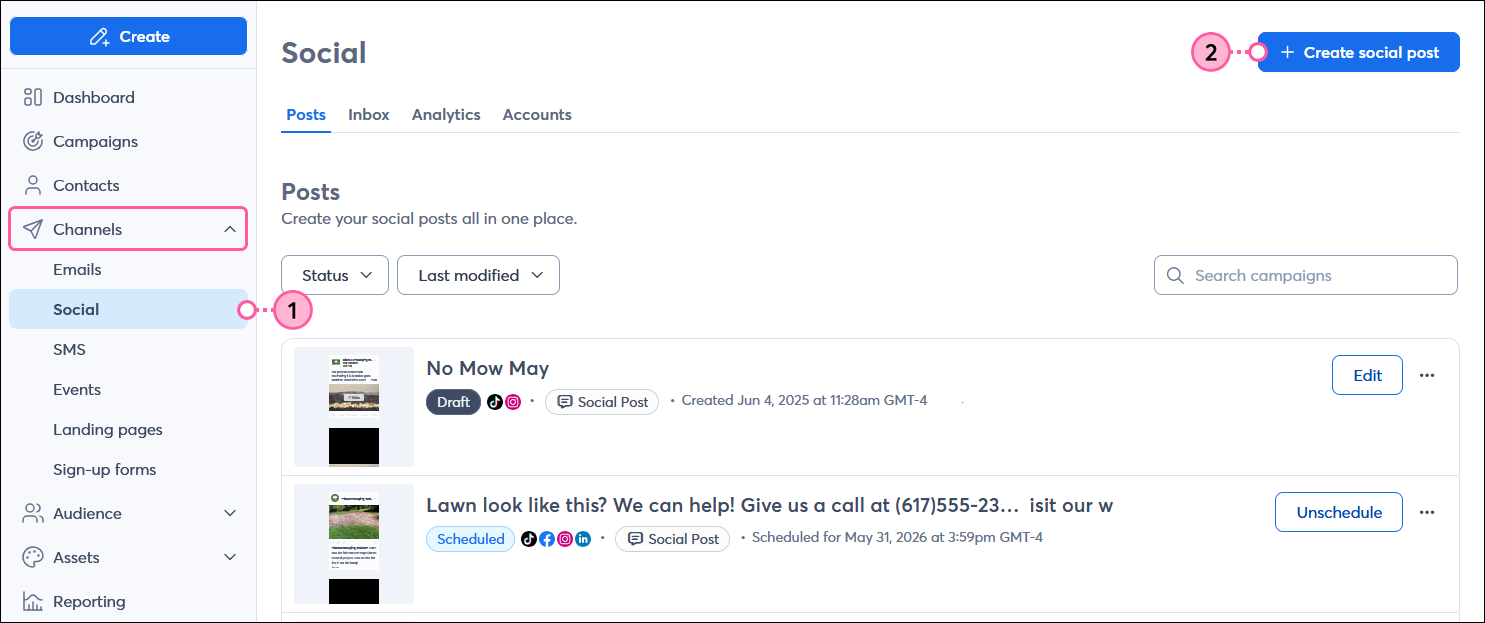
Select the social profiles you want to post to.
You can see our step by step guide here for more information.
Webinar
Is your small business or nonprofit losing time and engagement to outdated or confusing social media advice? April 23, 2026 2:00 pm ET

Popular Posts:
The world's largest virtual email marketing conference. November 12-13th.
