
I need to add our Membership Chair to the account as a User. What are the steps? Thank you.
How to add new user to account?
1 reply
Best reply by Chris S
Hey PatriciaK746,
To add a new user to your account you can follow this article here or follow the steps below.
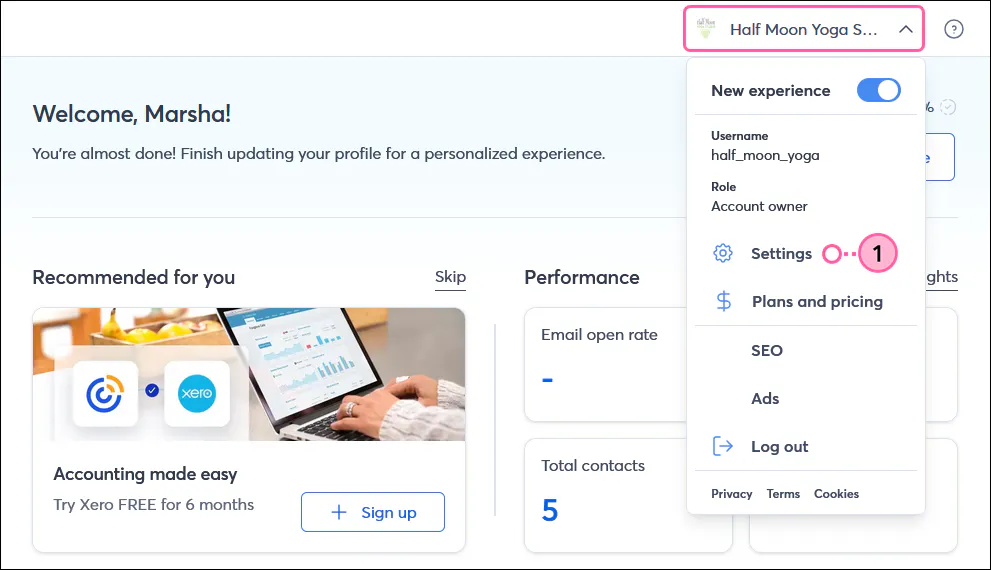
Click the profile name in the upper right and select Settings.
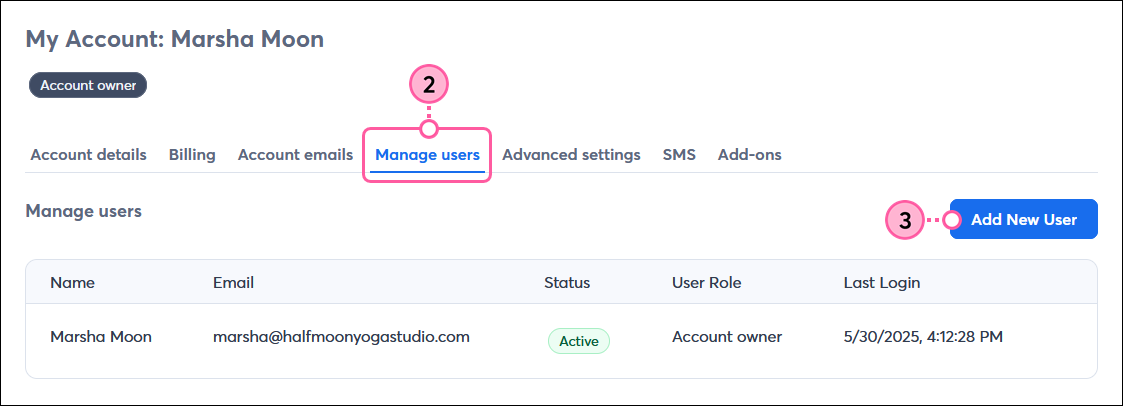
Click the Manage users tab.
Click Add New User.
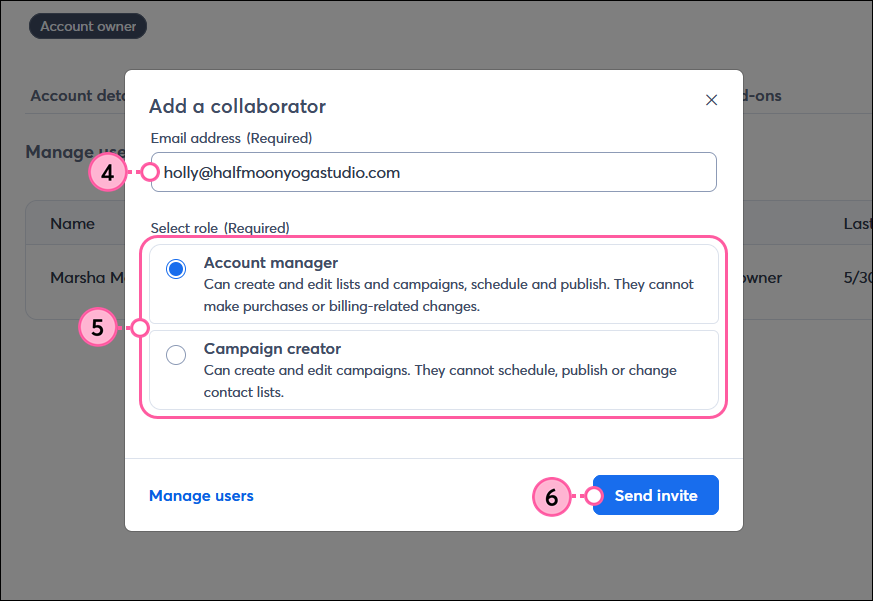
Enter the new user’s email address in the field.
Select if you want the new user to be an Account Manager or Campaign Creator.
Click Send invite.
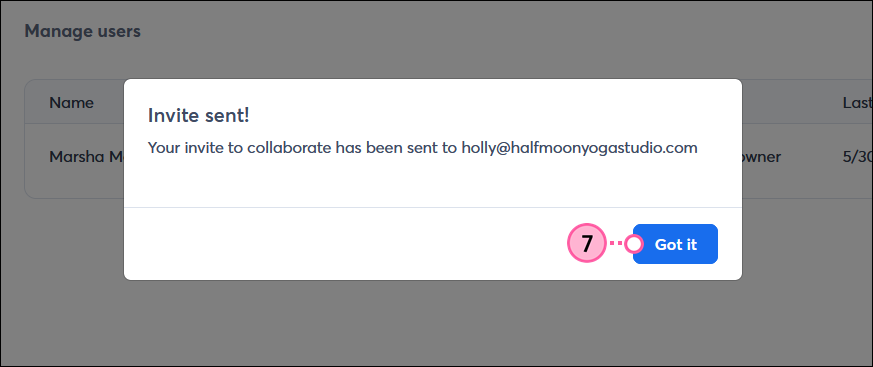
An email will be sent to the email address you entered. Click Got it.
Webinar
Join our free, interactive event with expert Jay Schwedelson to learn data-backed strategies for high-performing subject lines. June 25, 2026

The world's largest virtual email marketing conference. November 12-13th.
