
In the previous version of Constant Contact, it was super simple to just click the hyperlink for, say, "Bounces" to see the list of contacts and remove them. But now I can't! How do I view the details now?
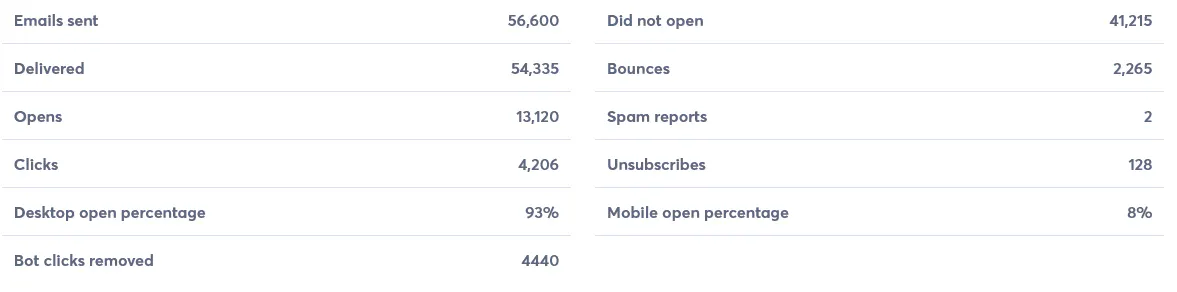
In the previous version of Constant Contact, it was super simple to just click the hyperlink for, say, "Bounces" to see the list of contacts and remove them. But now I can't! How do I view the details now?
Hey there user7541130, have you sent out a Resend to Non-openers for that email? If so, the report defaults to the Combined statistics for both emails (the original and the resend) which aren't clickable. I'm working with the Reporting team to bring back the "split view" from the old report where you could click on the stats for the original and RSNO message.
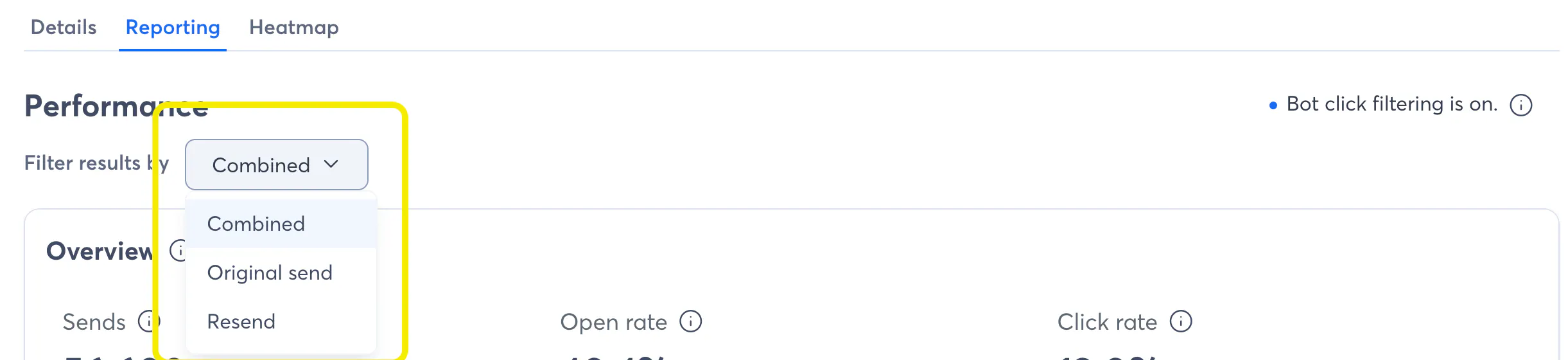
Until that work ships later this month, you can use the drop-down in the top left corner of the report. Change it from Combined to one of the other options and the stats will be clickable again.
We're also looking at a new drill-down report that would support showing stats from both messages, but that's a bit farther out.
Join our free, interactive event with expert Jay Schwedelson to learn data-backed strategies for high-performing subject lines. June 25, 2026

