Images always has padding now?

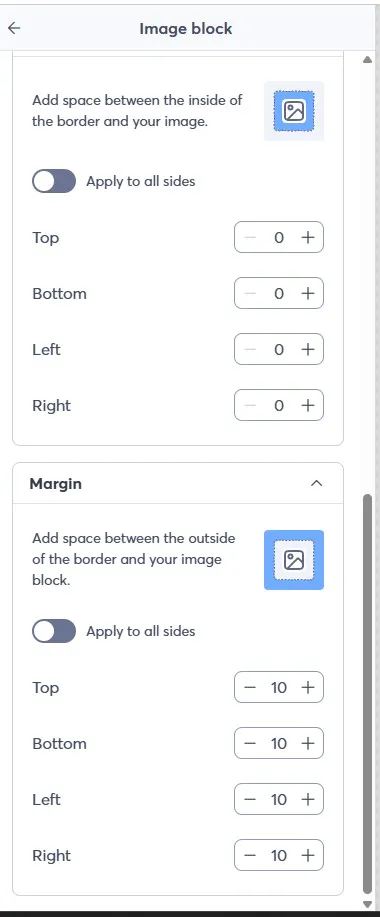
I have made the same graphic sizes and have pulled them to the full image window size. I look at the padding with this new updated version and even tested it and it still adds padding when I don't want it to and the padding is at 0.

Can I have help with this?
3 replies
Best reply by William A

Hello user3148 ,

I'm looking at your latest drafted emails, and most of the images are pulled to the edges. The one that isn't has margins on it at the moment, which is why you may be seeing background around it. If you reduce that image block's margins, it'll remove the background area around it, and you can stretch it out more.

View original
Webinar

Is your small business or nonprofit losing time and engagement to outdated or confusing social media advice? April 23, 2026 2:00 pm ET

Popular Posts:

The world's largest virtual email marketing conference. November 12-13th.