
I have many lists for contacts. How do I merge the lists together to make one list?
merging lists
1 reply
Best reply by Kyle B
Hi there MimiG188,
This is something we support! There's a dedicated Knowledge Base article that can walk you through this. The gist is:
Head over to the Lists and Segments area of the product from the navigation on the left (it's in the Audience category)
Once you're there, choose Lists from the List types drop down menu
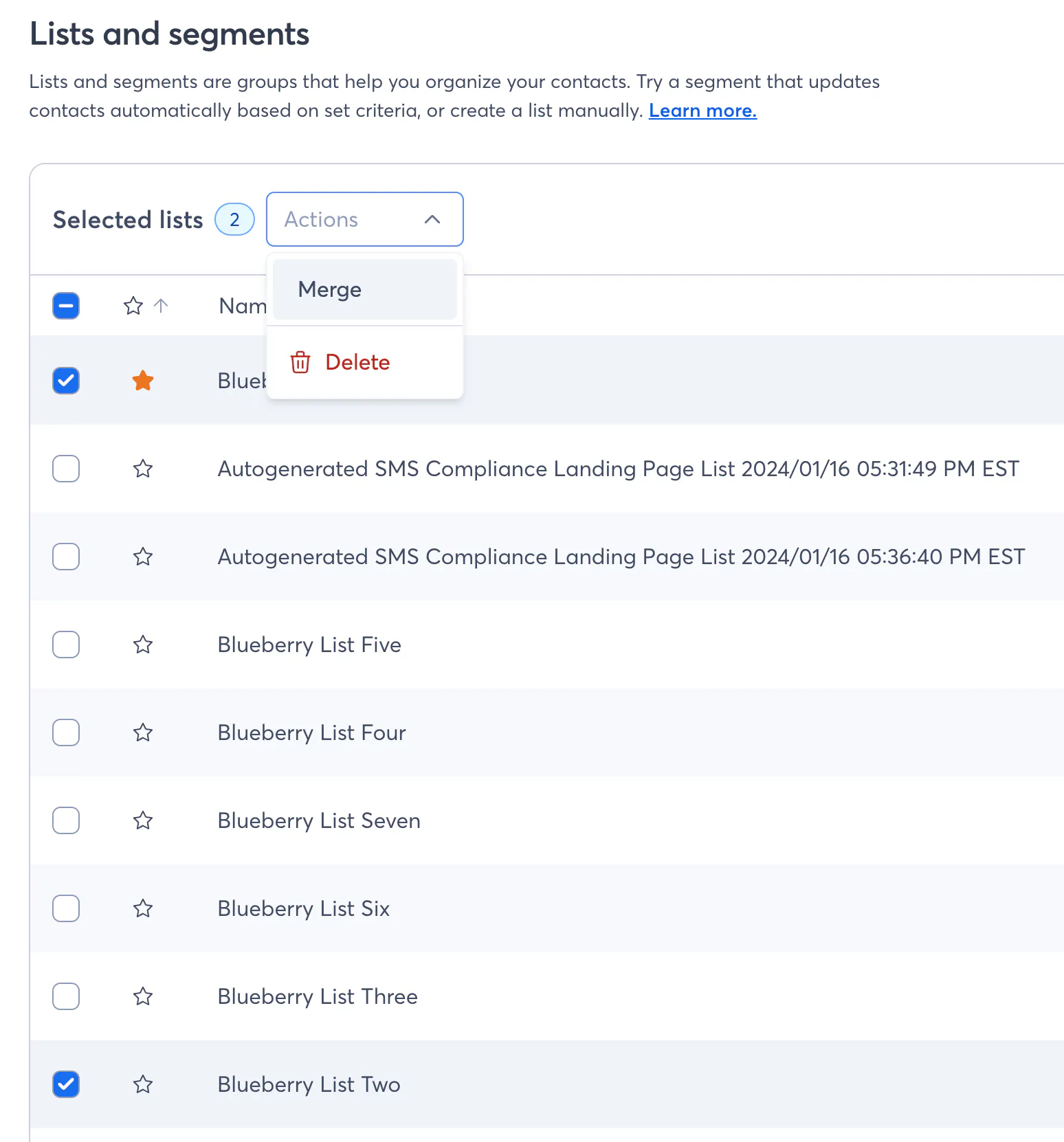
Select the Lists you want to merge together using the checkboxes
Click Actions, then Merge.
Let me know if you have any other questions!
--Kyle
Webinar
Join our free, interactive event with expert Jay Schwedelson to learn data-backed strategies for high-performing subject lines. June 25, 2026

The world's largest virtual email marketing conference. November 12-13th.
