
Please I want tio updatre my payment data
Update payment data
1 reply
Best reply by Chris S
Hi Constan M
If you need to update the credit card information or use a different credit card for your payment method:
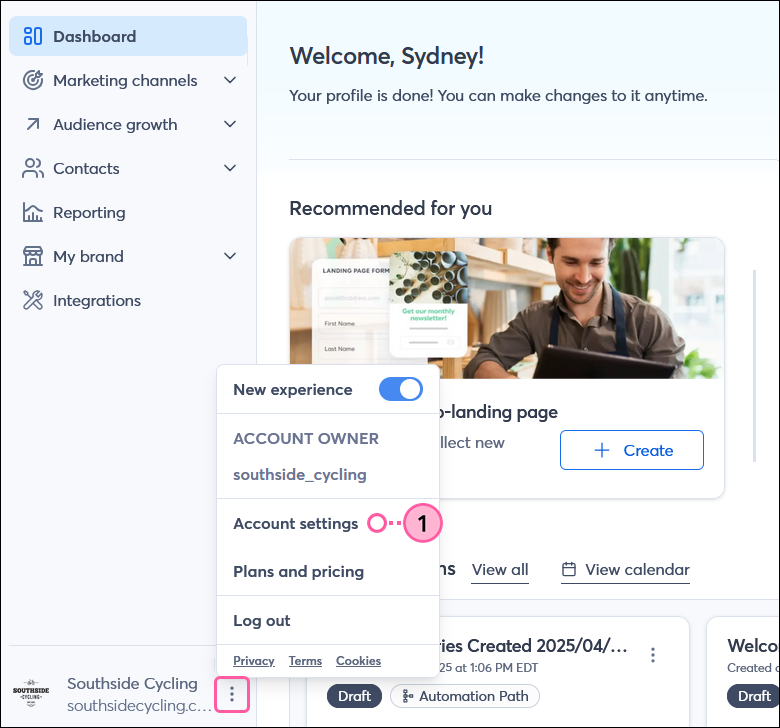
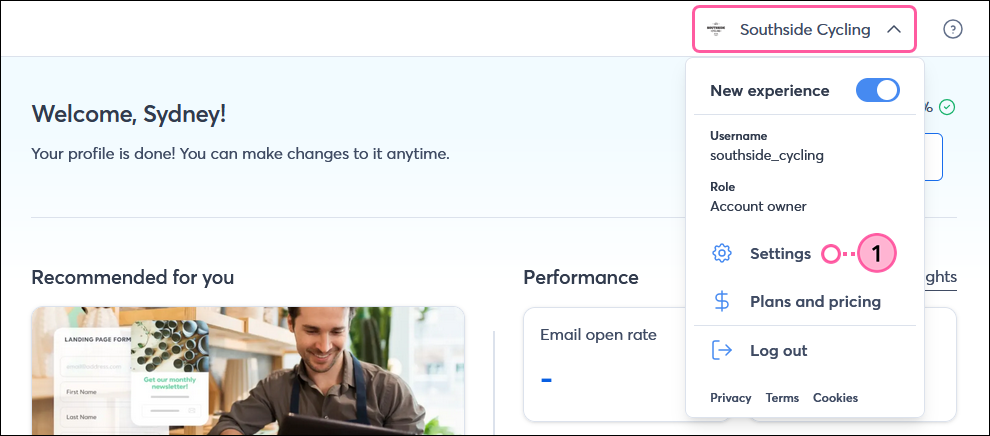
Click the three dots in the lower-left (or the profile icon if the menu is collapsed) or the profile name in the upper-right and select Settings from the drop-down.
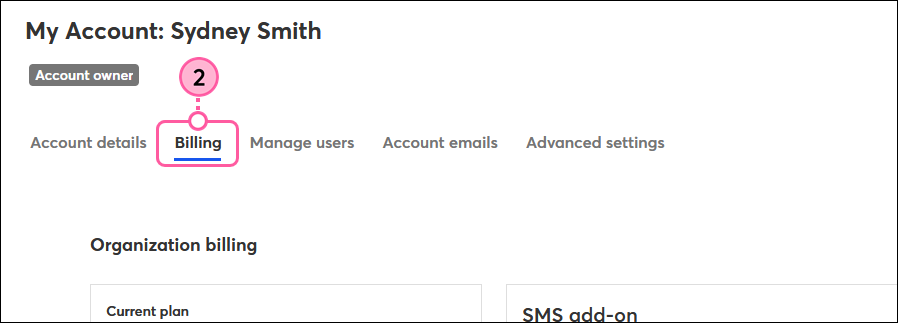
Click the Billing tab.
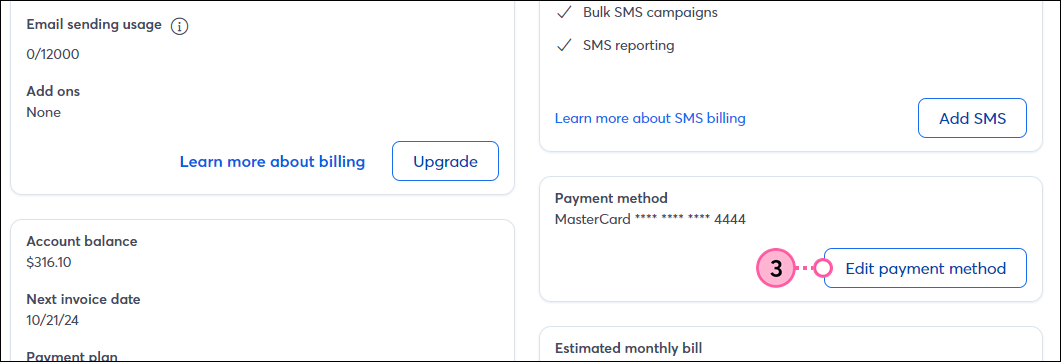
Scroll down to the Payment method section and click Edit payment method.
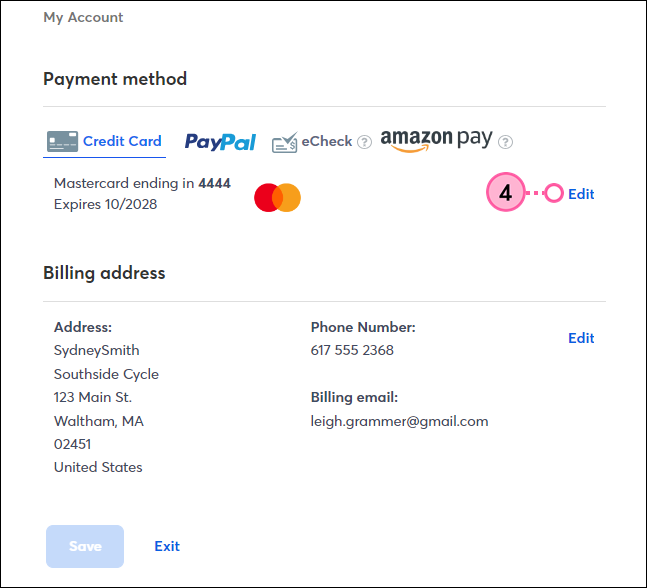
In the credit card payment method section, click Edit.
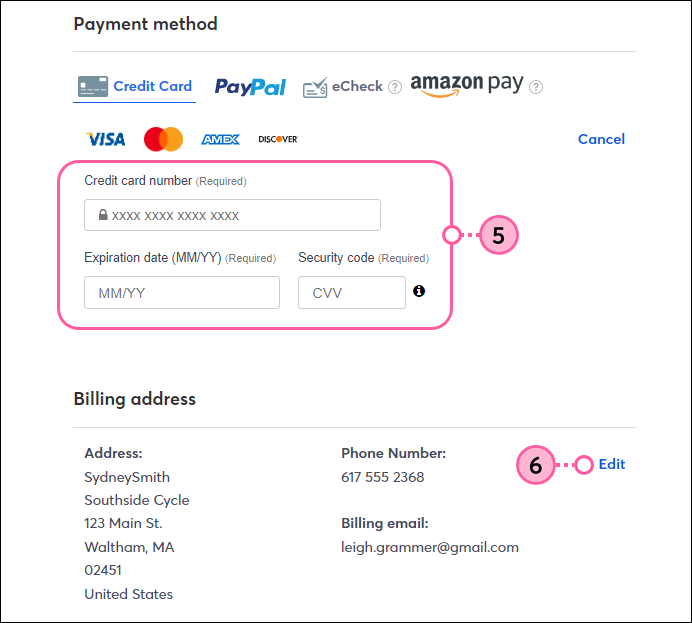
Enter your credit card information in the fields.
Make sure your Billing address, email address, and phone number are correct. If necessary, click Edit to make changes.
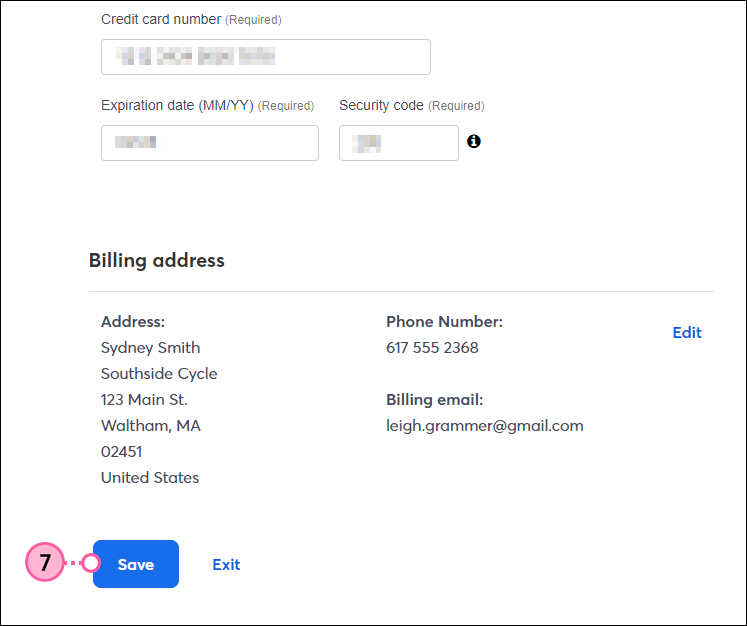
Click Save.
Now that you've updated your payment method, you can print or email the invoice for your record-keeping.
Webinar
Is your small business or nonprofit losing time and engagement to outdated or confusing social media advice? April 23, 2026 2:00 pm ET

Popular Posts:
The world's largest virtual email marketing conference. November 12-13th.
