

The Activities tab is filled with quick, engaging prompts and challenges that encourage you to explore, share, and grow. Each activity helps you earn points and move closer to unlocking special perks.
As you participate in the community, you earn points that can be redeemed for rewards. That’s the benefit of staying engaged. Maybe you’ve been completing the weekly activities and your wallet is ready to go shopping, or you’re continuing to participate and racking up points for a reward you’ve had your eye on.
Let’s take a look at how to cash in your points when you’re ready to treat yourself.
Step 1: Access the Rewards Store
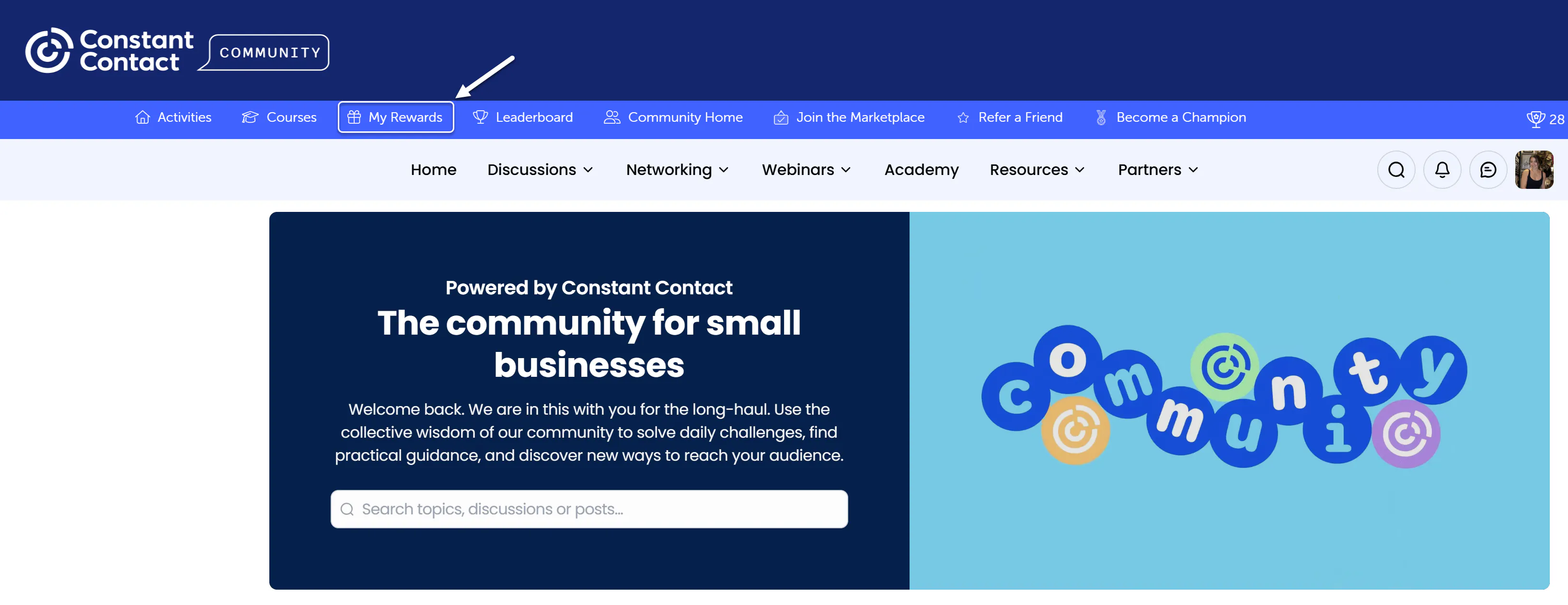
Navigate to the Rewards Store by clicking on the My Rewards tab. You must be logged in to Community to be able to see this tab. This is where all available rewards are listed.
Step 2: Review Available Rewards
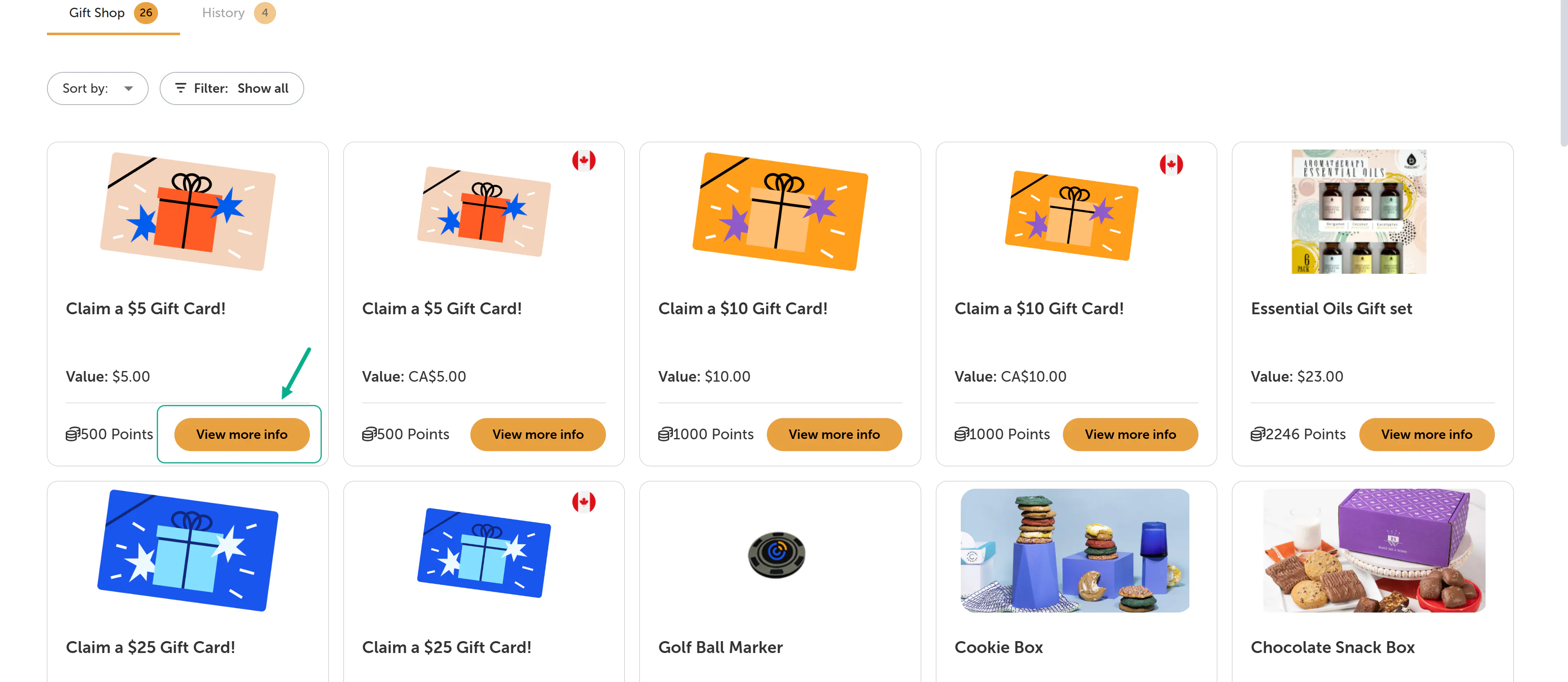
Browse the catalog to view the rewards currently offered. Each reward includes the number of points required for redemption, allowing you to select an option that aligns with your point balance.
Step 3: Select a Reward
Click on “view more info” to view a reward and its additional details, including any specific redemption instructions or limitations.
Step 4: Redeem Your Points
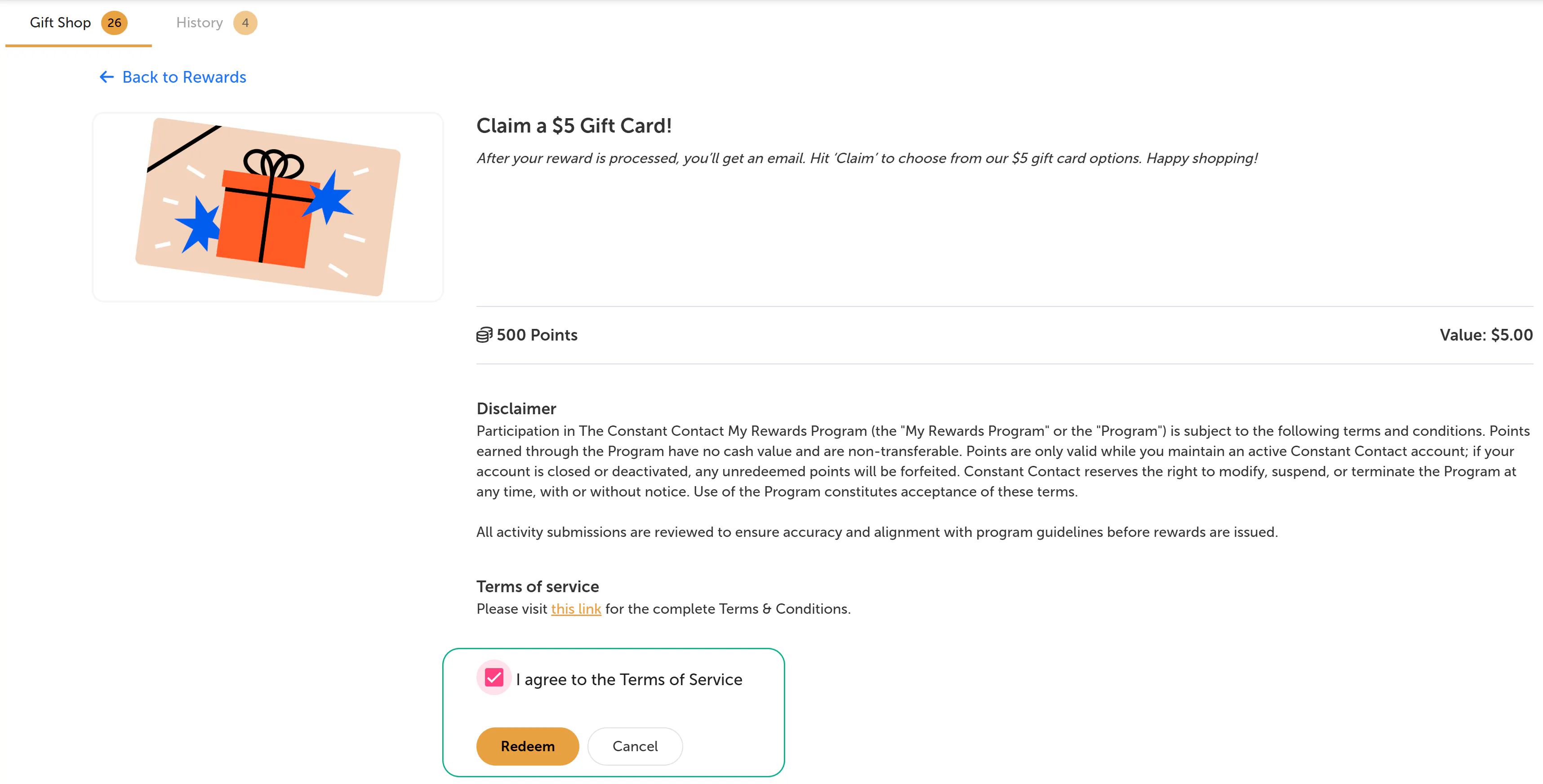
If you have sufficient points, check off the box where you agree to the Terms of Service. Select the “Redeem." Your points will be deducted from your balance upon confirmation.
Step 5: Confirm Your Redemption
After completing your redemption, you will receive a confirmation with details on how your reward will be delivered or fulfilled.
Additional Information
Points can only be redeemed for rewards that are currently available in the store
Some rewards may have limited availability
Reward offerings may change over time
Program Guidelines
All point-earning activities and submissions are subject to review to ensure accuracy and alignment with program guidelines. Points may be adjusted if activities do not meet the stated requirements, and rewards will only be issued after review is complete. See here to review the Terms & Conditions.


