


Yes, while Constant Contact already handles basic email authentication for all users, we offer an enhanced option: self-authentication. By enabling this feature, you gain complete control and can ensure that your outgoing emails are clearly identified as originating directly from your organization. This allows you to build and maintain your own, independent sending reputation.
Why should I self-authenticate my domain?
Self-authentication offers several key benefits:
Improved Deliverability, verifying to recipient mailboxes that the message is legitimate and not spam, thus increasing the likelihood of emails landing in the inbox.
Brand Reputation, removing the "via ccsend.com" rewrite from the "From" address, enhancing the professional and trustworthy appearance of emails.
Control, allowing you to establish your own sending reputation instead of relying on a shared pool.
What do I need to get started?
To enable self-authentication, the following prerequisites must be met:
A Custom Domain: Ownership of a website domain is required, along with a corresponding email address. Free webmail accounts (such as Gmail, Yahoo, or Outlook) are not eligible for self-authentication.
DNS Access: Access to the domain's DNS records is necessary, typically obtained through the hosting provider or webmaster.
DMARC Policy: A DMARC policy must be published within the DNS records to adhere to authentication standards.
What are the methods for self-authentication?
There are two options for adding records to your DNS:
CNAME Records: This represents the simplest and most secure method, and is the recommended approach for the majority of users.
TXT Record: This method is most suitable for situations involving multiple Constant Contact accounts that require email transmission from the same domain.
How do I configure self-authentication?
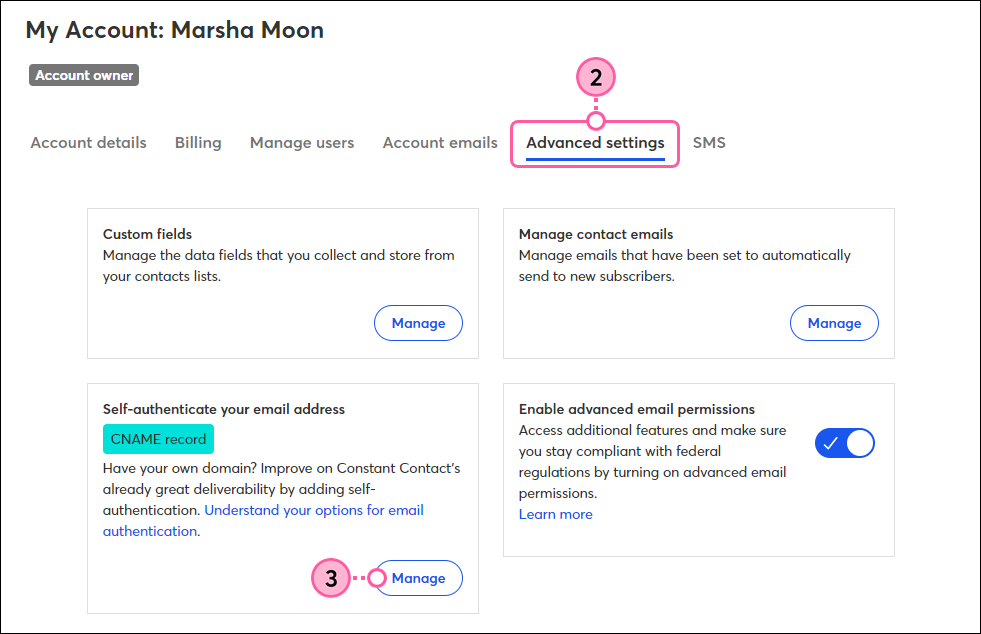
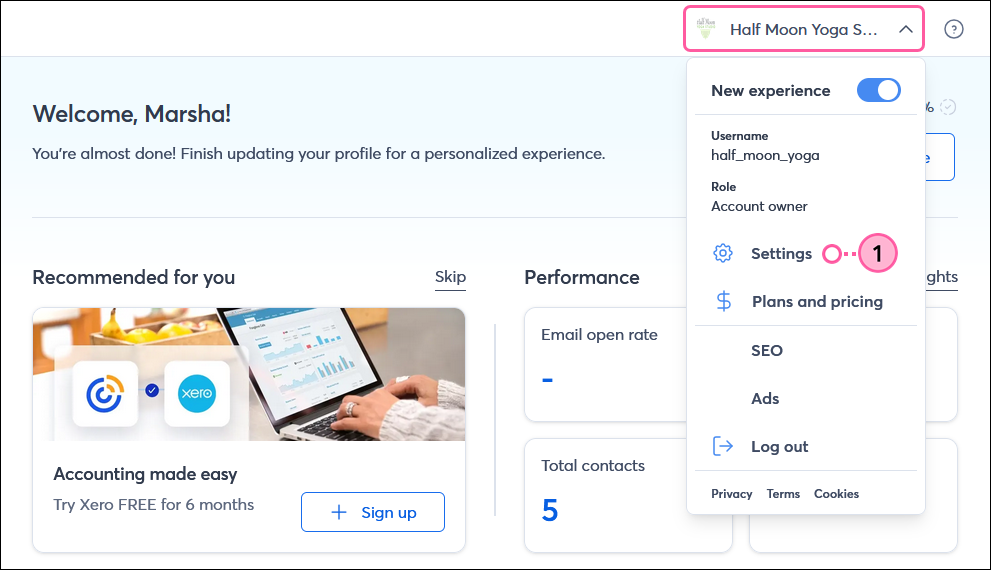
Log in to Constant Contact, navigate to Settings > Advanced settings, and select Add self-authentication.
Choose your preferred method (CNAME or TXT) and specify your domain.
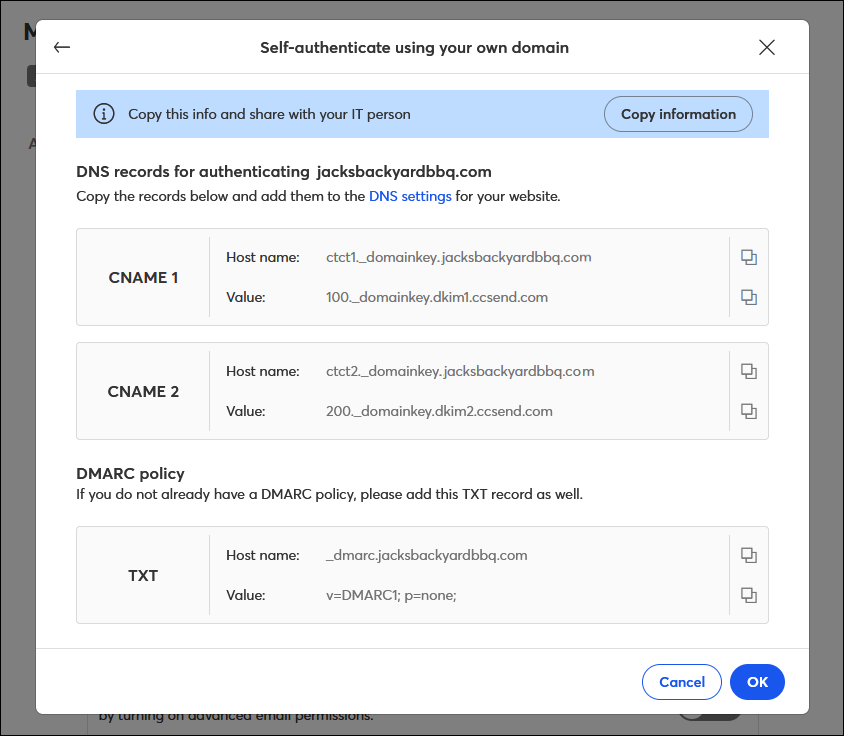
Constant Contact will generate the necessary Record Names and Values.
Copy this information and implement it within your DNS records, either through your hosting provider or by requesting assistance from your IT department/webmaster.
Important: Ensure that you also publish a DMARC policy record in conjunction with the CNAME or TXT records.
How long does it take for the changes to work?
Once you update your DNS records, allow up to 48 hours for the changes. It's crucial to wait for this process to finish before activating self-authentication in Constant Contact or sending new emails. Sending emails before the records update can lead to errors.
What happens if I don't self-authenticate?
If you choose not to self-authenticate , or if you are using a free webmail address, Constant Contact will automatically modify your "From" email address to use a shared domain. For example, an email address might appear as [email protected]. While this still guarantees your email is authenticated and delivered, it will rely on Constant Contact's shared reputation rather than your own.
For more information see our articles
https://knowledgebase.constantcontact.com/email-digital-marketing/articles/KnowledgeBase/5865-Understanding-email-authentication?lang=en_US
https://knowledgebase.constantcontact.com/email-digital-marketing/articles/KnowledgeBase/51400-How-your-From-email-address-may-be-impacted-by-the-latest-email-authentication-requirements?lang=en_US
Related: send out mass emails in outlook
