


Hi all, Kyle here from the Performance & Analytics team!
Our designer Katie DeVoe and I have been hard at work on some updated designs for the main Reporting page in Constant Contact -- the place you land when you click Reporting in the navigation.
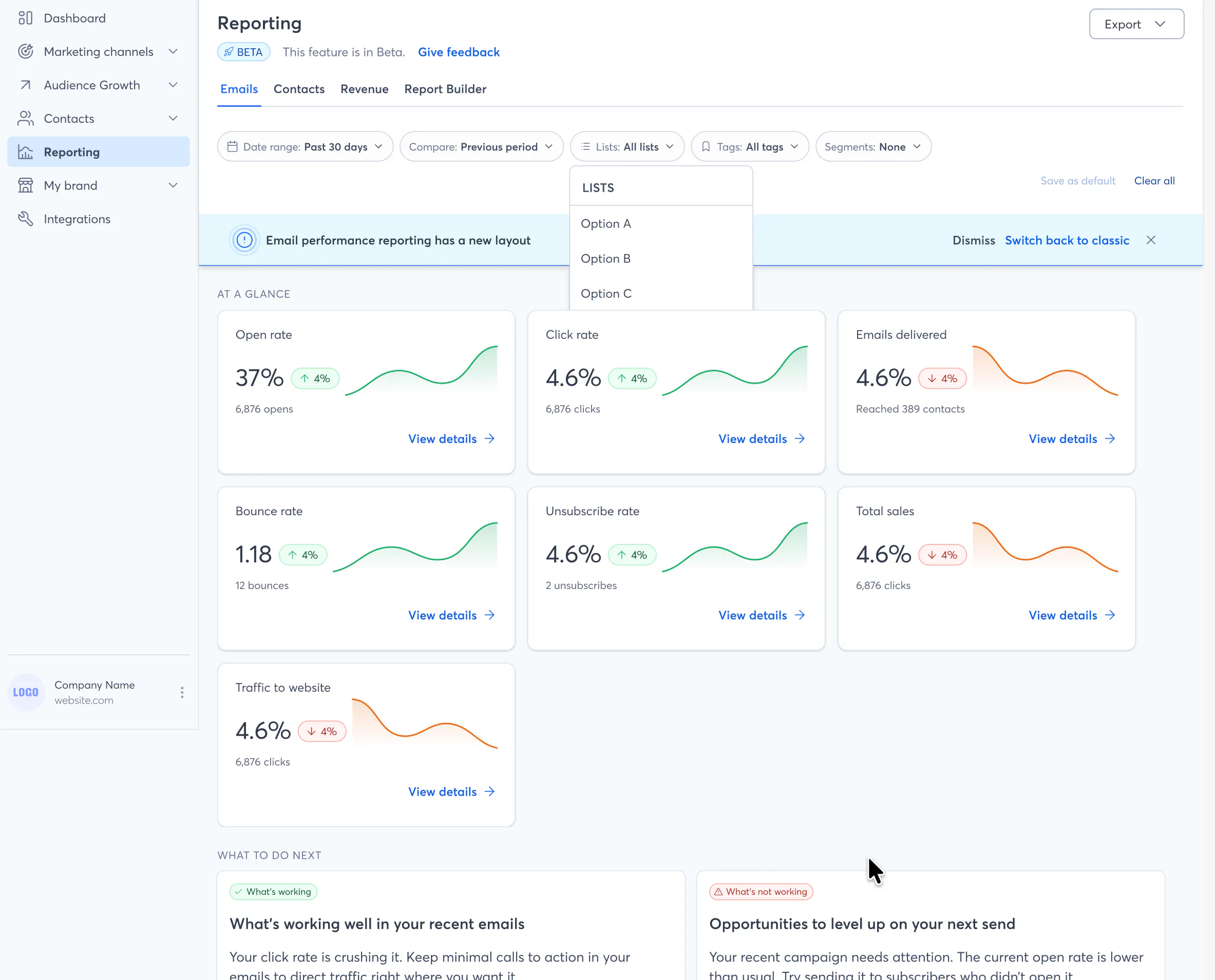
We're trying to solve a couple of problems here:
Reporting is passive today. It can be difficult to interpret metrics and decide on what to do next. Why send if you can’t tell if your email was successful or not? We want to make Reporting simpler to understand and offer you personalized suggestions and next steps.
It's hard to quickly identify what matters. A lot of information on the page is extraneous or better suited to drill-downs. We want to make it easier to see what's important, then get more details if you want them.
These designs introduce a new channel-level email reporting experience with four key changes:
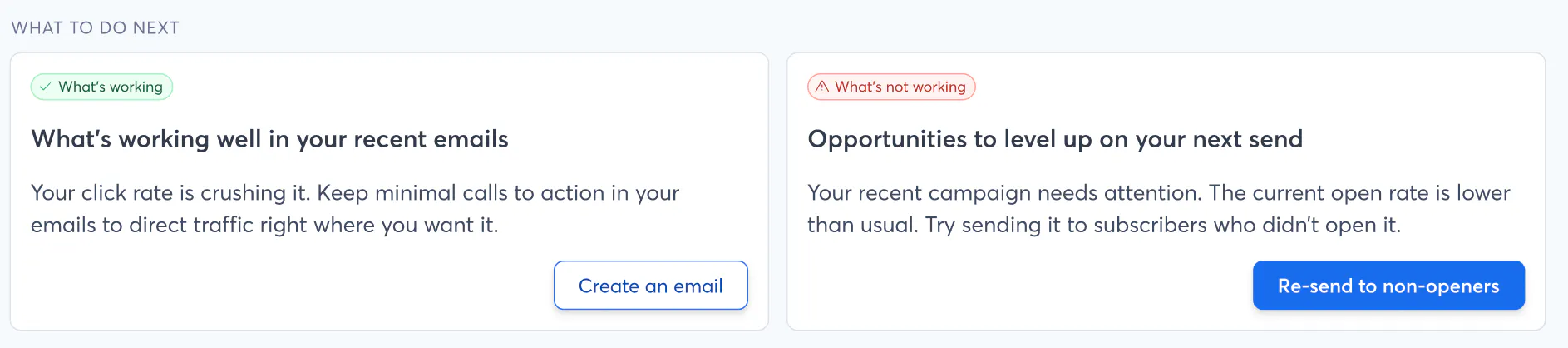
"What to Do Next" summary — Get an immediate read on what's working and what's not, then some advice on what to do next.
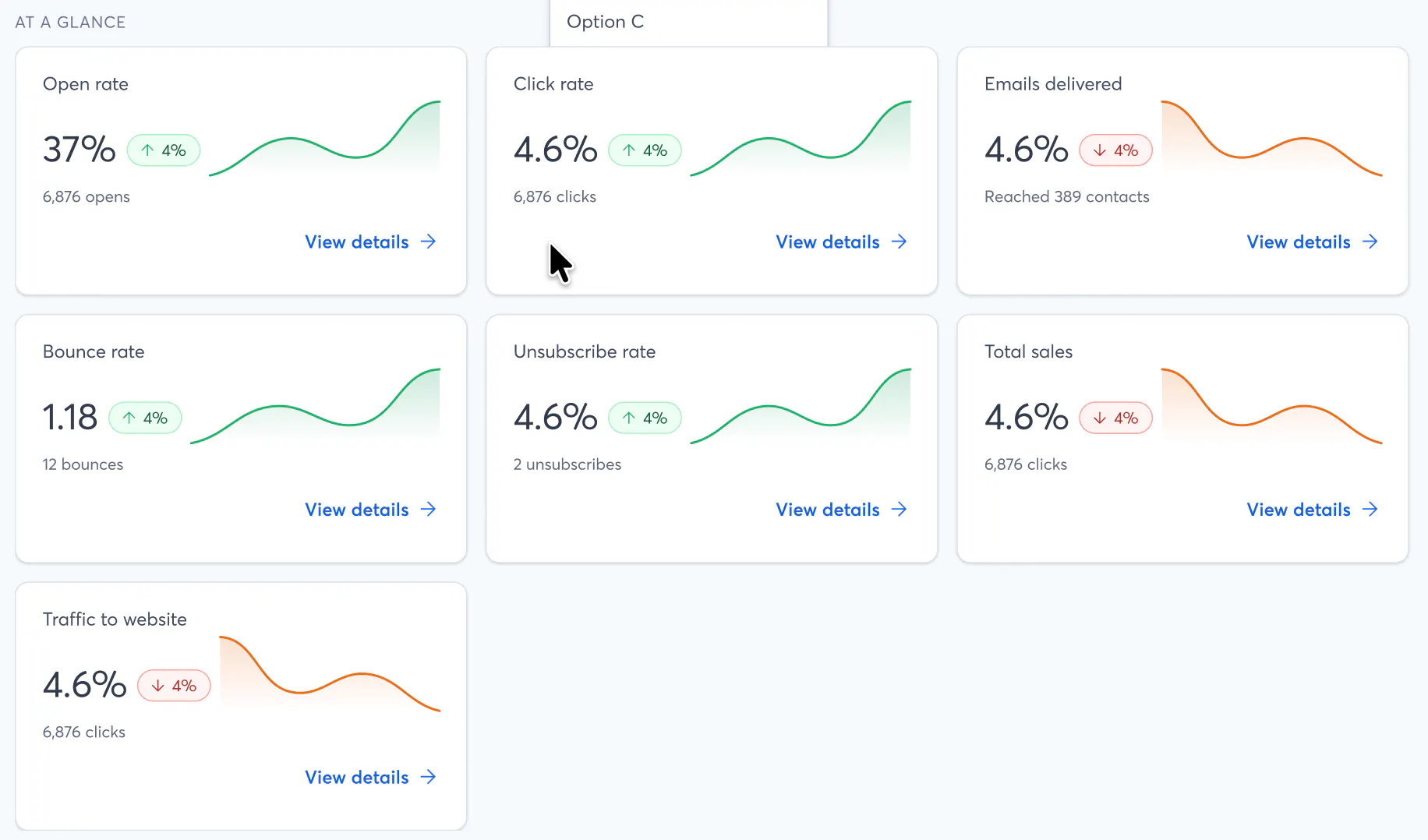
At-a-Glance metric cards — one for each of our primary metrics, plus a few new ones for Revenue and our Website Tracking features (if you have them set up).
Compact filters with all of the options you're used to that. Plus, these ones follow you as you scroll down the page.
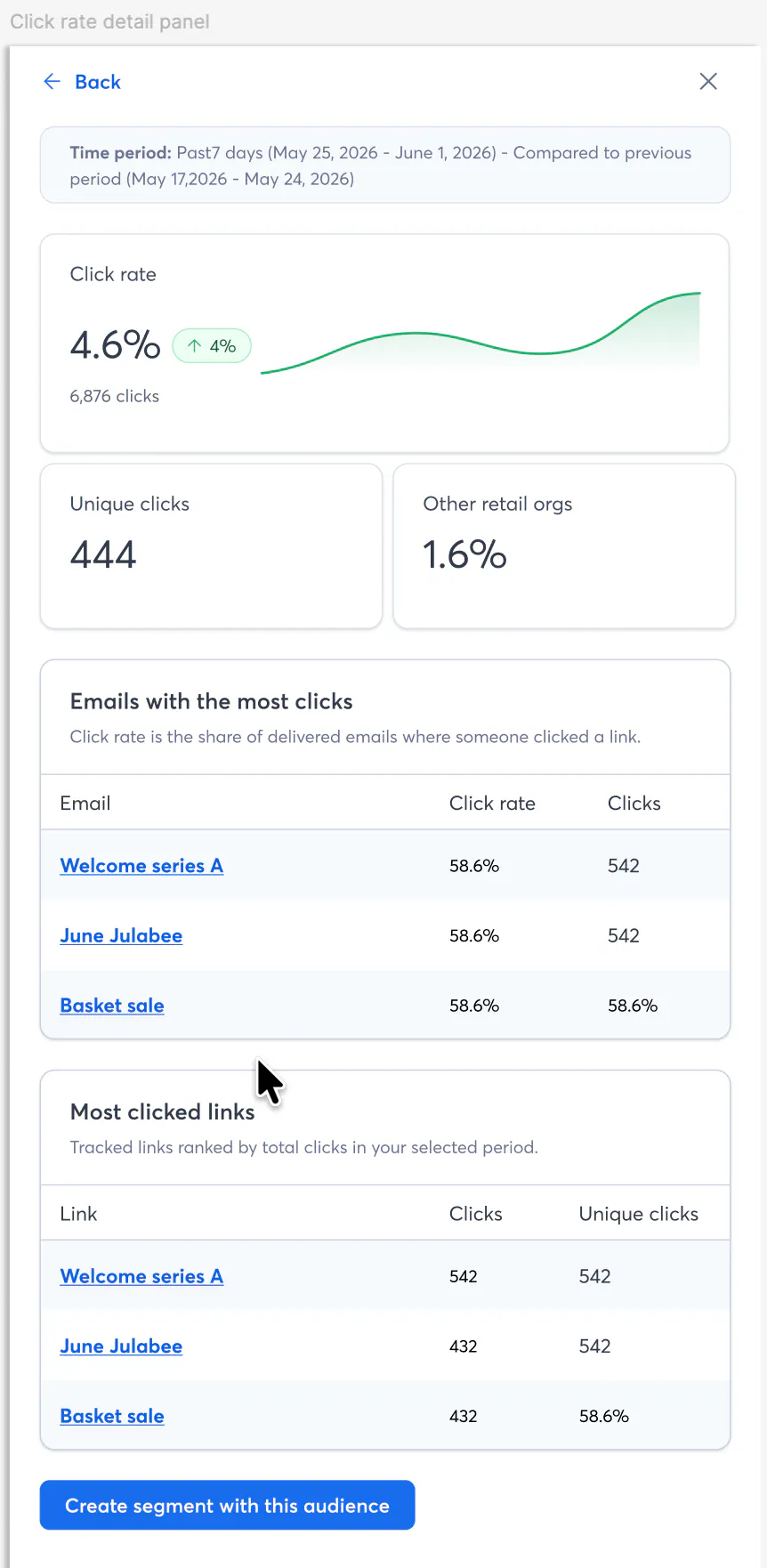
Slide-out detail panels— A new way to drill down into Reporting metrics that sits in-between the 20,000 foot view in the Hub and the drill-down reports/spreadsheets. The example here is for Click rate. We want to try to include calls-to-action in these panels to give you some guidance on how to improve different metrics.

We've also got a few experimental things in the works on the page (a bit further down):
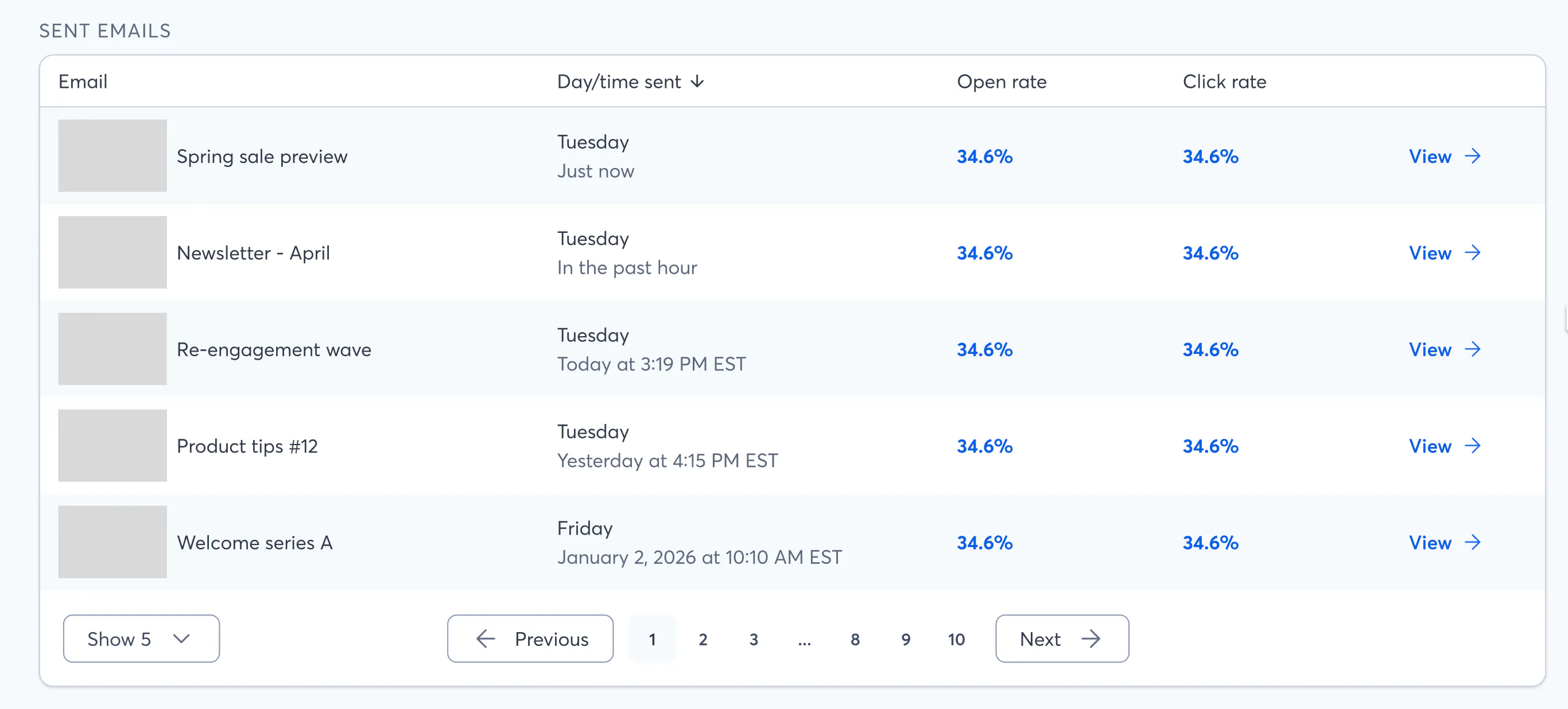
A "sent emails" table that shows you all of the campaigns that are contributing to the metrics you're looking at:
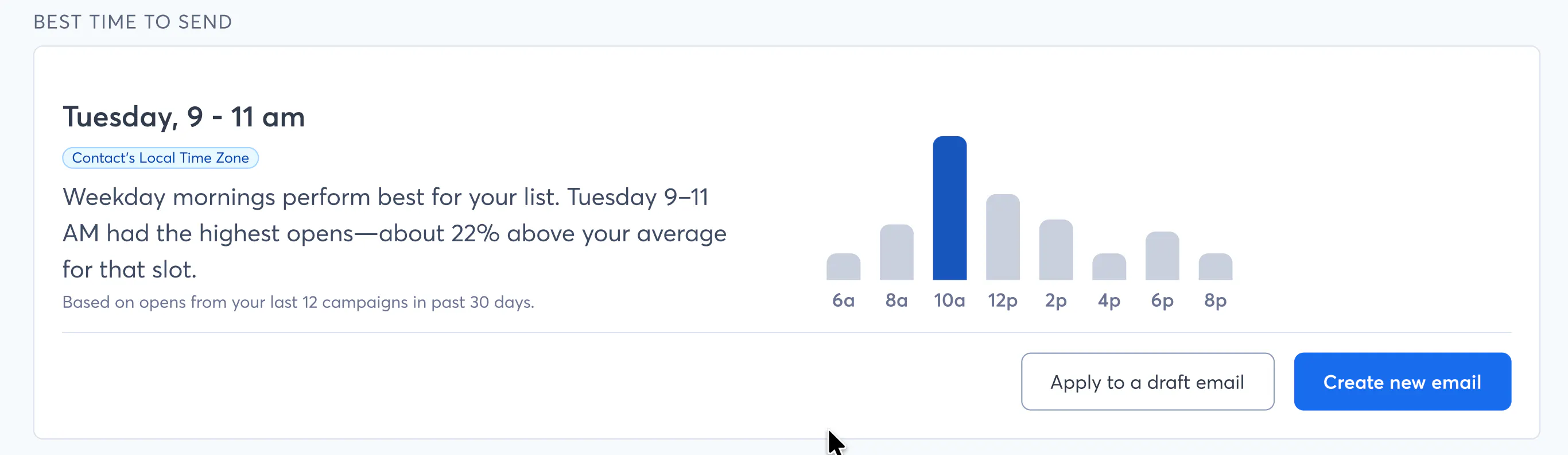
Some "best time to send" information (an extension of what's currently in testing on the Schedule page)
We would love to get your initial impressions, comments, and concerns in this early stage. What are you excited about? Is there anything you'd expect to see that's missing? Would you use this at all (vs. just looking at the stats for an individual email)? Come to think of it, when was the last time you looked at a report and came away with a good idea of what to do next?
I know there have been a lot of changes to the interface over the past year, but Katie and I believe this is a significant improvement over what's available today. Thanks for being a part of this journey with us!
--Kyle
