
I need to export multiple lists into a single CSV file. Currently, I can only export them individually. How can I combine this process into one file? Please advise.
Export multiple lists into a single CSV file in the new interface
1
3 replies
Best reply by Chris S
Hey there creation,
To Export multiple contact lists
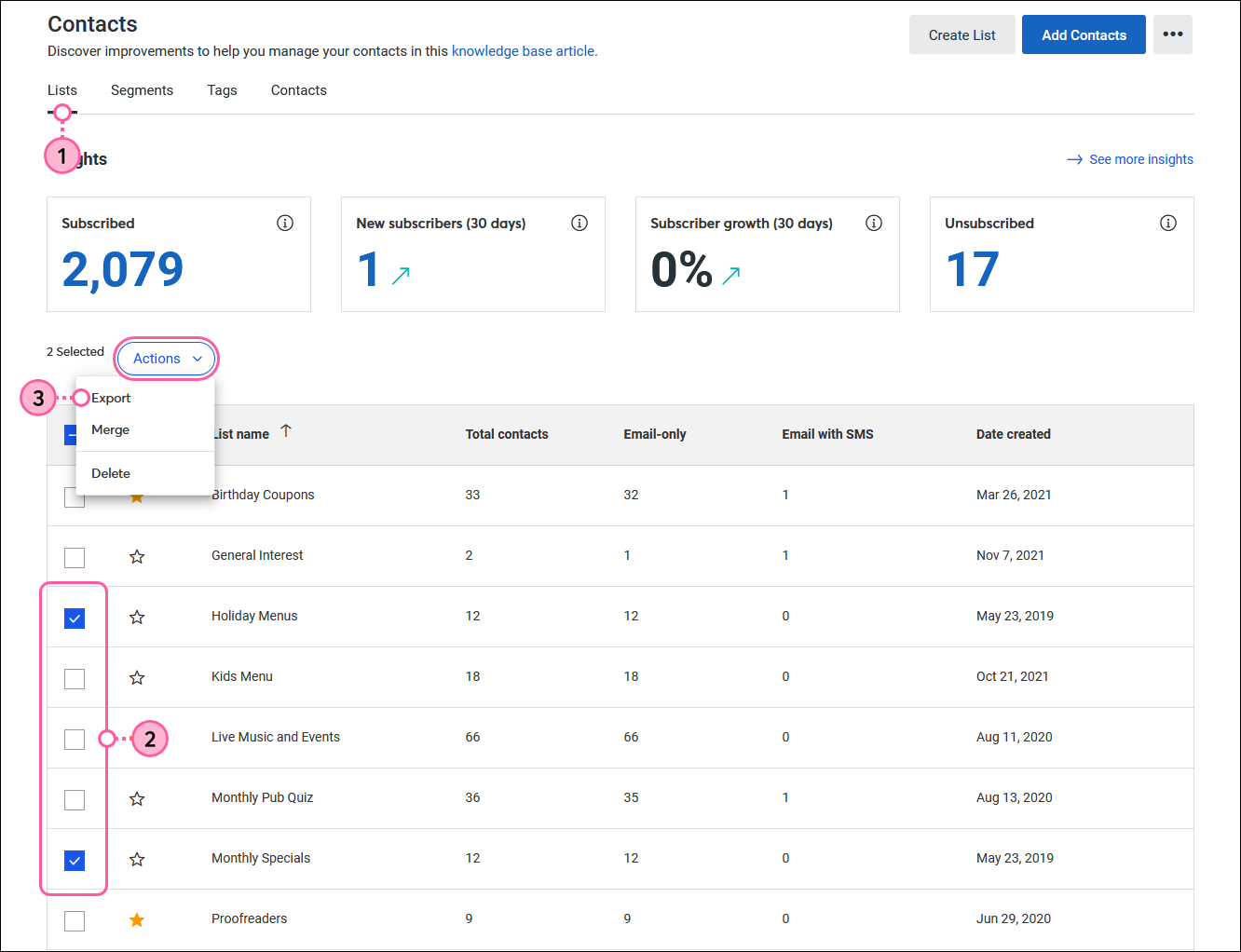
Open the contacts dashboard, and then click the Lists tab.
Select the lists you want to export.
Click Actions > Export.
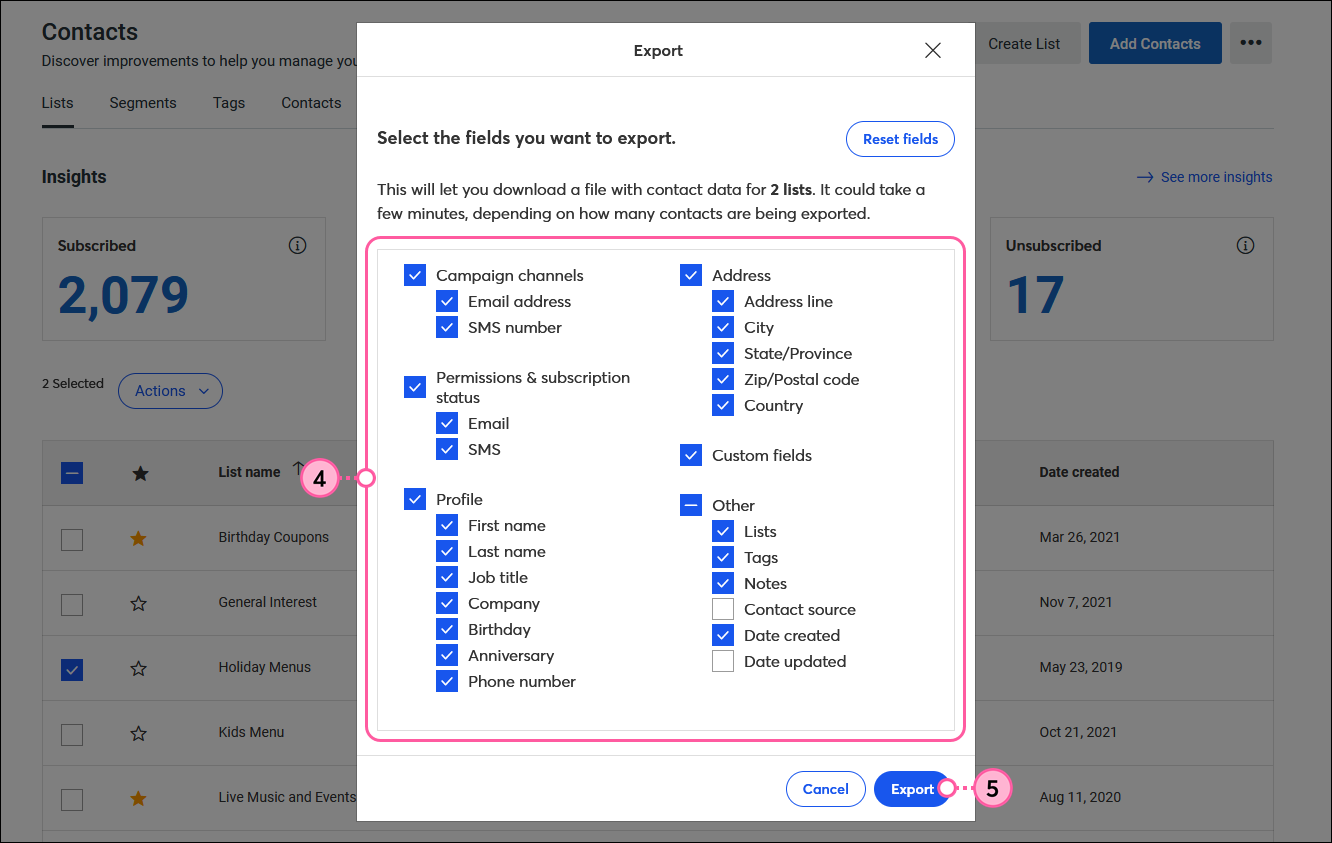
Select all the fields you want to include in your exported file.
Click Export.
Webinar
Join our free, interactive event with expert Jay Schwedelson to learn data-backed strategies for high-performing subject lines. June 25, 2026

The world's largest virtual email marketing conference. November 12-13th.
