
I need to export multiple lists into a single CSV file. Currently, I can only export them individually. How can I combine this process into one file? Please advise.
Export multiple lists into a single CSV file in the new interface
1
3 replies
Best reply by Chris S
Hey there creation,
To Export multiple contact lists
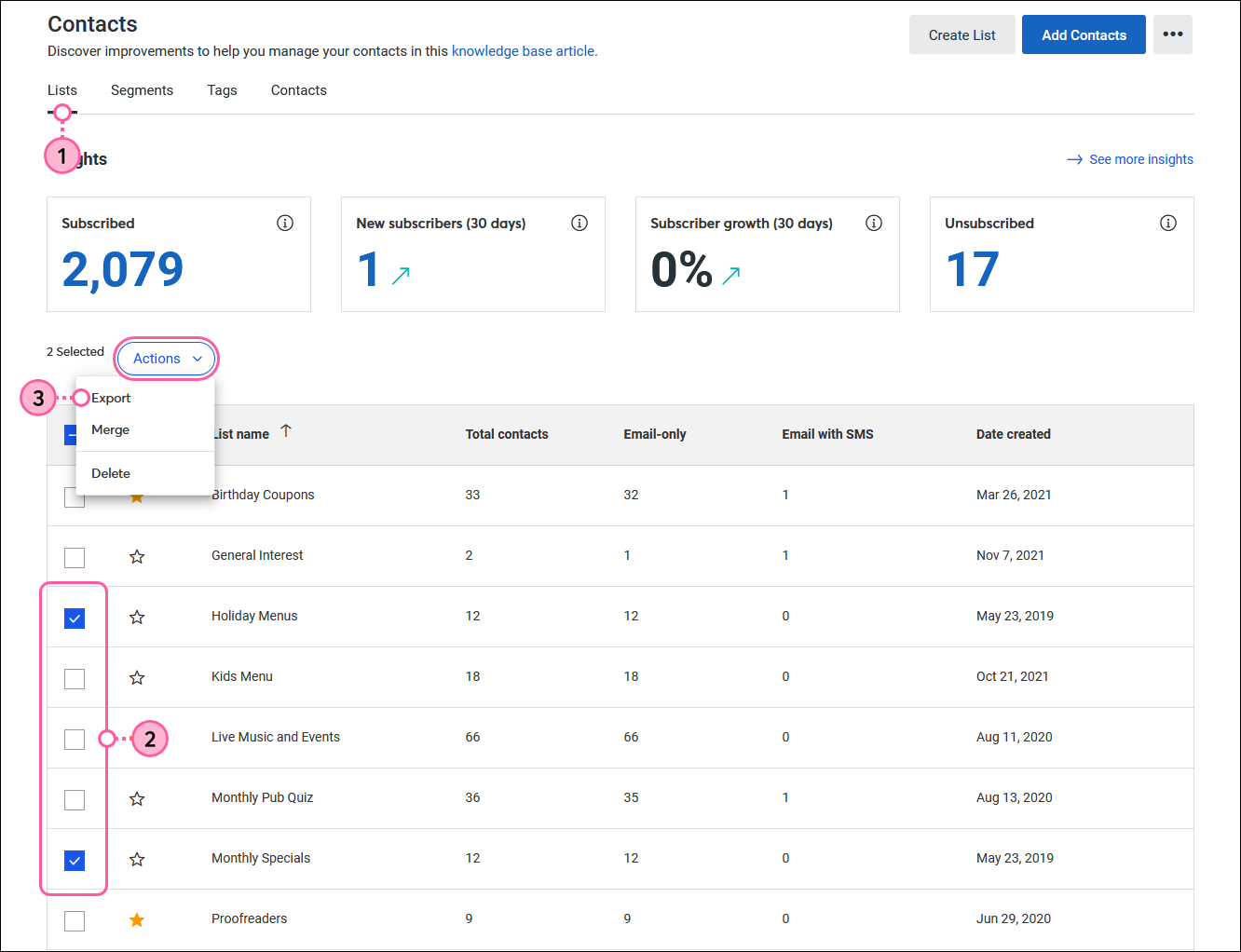
Open the contacts dashboard, and then click the Lists tab.
Select the lists you want to export.
Click Actions > Export.
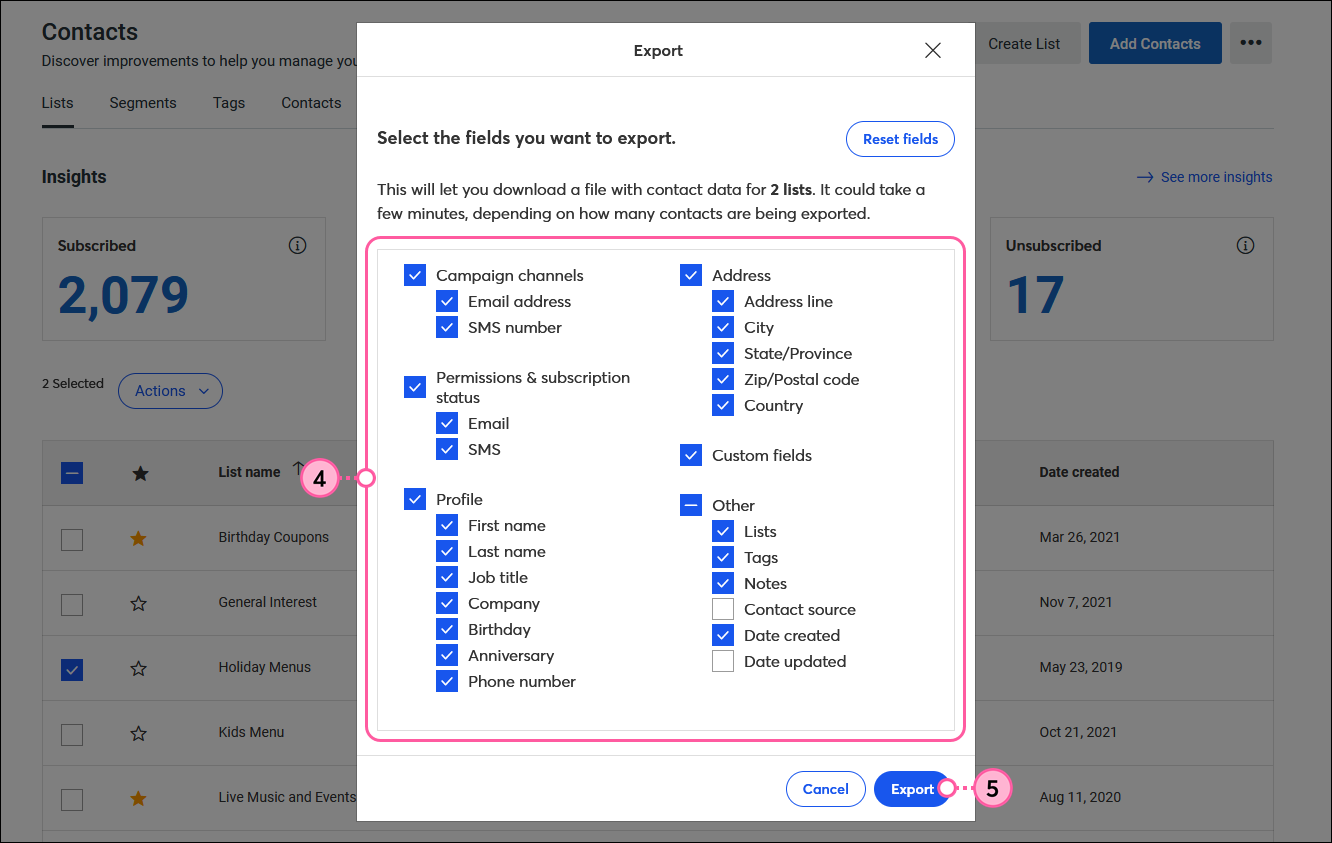
Select all the fields you want to include in your exported file.
Click Export.
Webinar
Join us to learn about successful email lists, from onboarding to database maintenance. May 28, 2026 - 2:00 pm ET

The world's largest virtual email marketing conference. November 12-13th.
