


We've rolled out a new interface experience, offering quicker access to popular channels and a more streamlined workflow. Make sure to check out our Community hub for the new UIX. Additionally, our Email & Digital Marketing Knowledge Base library of support articles has been updated to reflect the new UIX, including visual references and step-by-step instructions. Remember, you can access our Knowledge Base at any time in your account via the Help ❔ icon.
Table of Contents
What's changed?
The user interface - the visuals you see when you're on the website - has been revamped, facelifted, streamlined, and simplified. The most noticeable changes are:
The Contacts Page (including the main methods for adding contacts)
These changes have also brought the mobile app, desktop website, and mobile website closer in line with each other. Our devs are continuing their work to unify the layouts and provide seamless functionality between the interfaces.
Where are my campaigns?
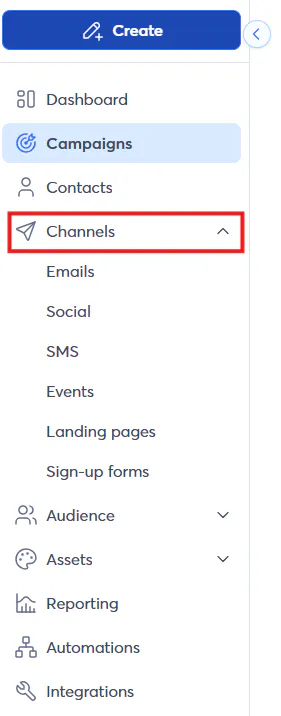
You can still find all of your different campaign types via the Campaigns tab of the sidebar. You can also go to specific campaign types' pages by selecting them on the Channels tab.
Where are my lists and segments?
You may have noticed that with the revamp of the Contacts page, some functions that were once found on that page have been moved to their own section.
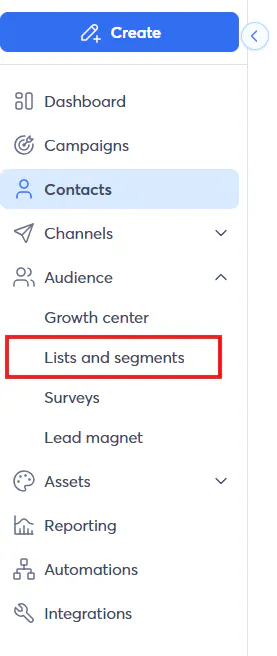
The Audience section of the sidebar focuses on contact management, engagement, and growth. Make sure to check out these support articles for guidance on list and segment management:
If you're not seeing the criteria or logic that you need for your segments, make sure to visit this Product Idea thread to vote and voice your ideas!


