List Improvements - Naming & Adding Existing Contacts

A relatively small thing all in all, but in the big update, lists no longer allow you to use special characters in the name. We often use dates in our list names which now have to be formatted strangely.

Also when you go to add existing contacts to a list and click "select all contacts" it still only adds the contacts on that page and not all. You are able to get around this by going to the "Contacts" page and adding them to the list from there, but would be cool if this worked as (I'm assuming) intended.
Best reply by William A

Hello user648281 ,

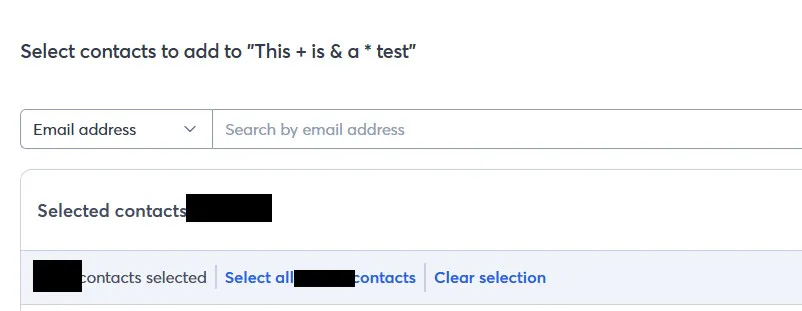
I was able to successfully create a list in my account and yours, that contains special characters (see "This + is & a * test" in your lists). Can you elaborate on what particular symbols you're encountering issues with, or provide the exact error message you're receiving when typing out your new lists' names with the characters?

On your second point, there's select-all for just the page, and select-all for all contacts. I can clearly see the option to select-all contacts when on the empty "This + is & a * test" list in your account.

Is there a different method you're going about adding the contacts, where this option isn't showing?

View original
Status
Not Currently Planned
1 reply
Release Notes

Take a look at our latest product updates.

Webinar

Join us to learn about successful email lists, from onboarding to database maintenance. May 28, 2026 - 2:00 pm ET

Popular Posts: