

With Saved Content, you can now save any block or layout from your email and instantly access it in any campaign. Think of it as your personal content library—always available, always consistent, always ready.
This new, time-saving feature will be available for some customers starting April 14th, 2026 and will be available for everyone by mid-May.
Here's what you can do
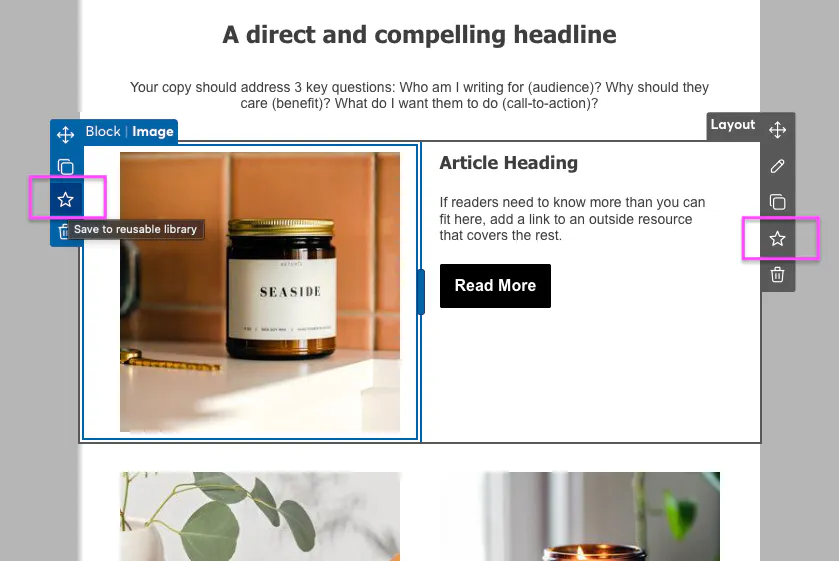
Save content blocks - Select any row or layout in your email and save it to your library with one click
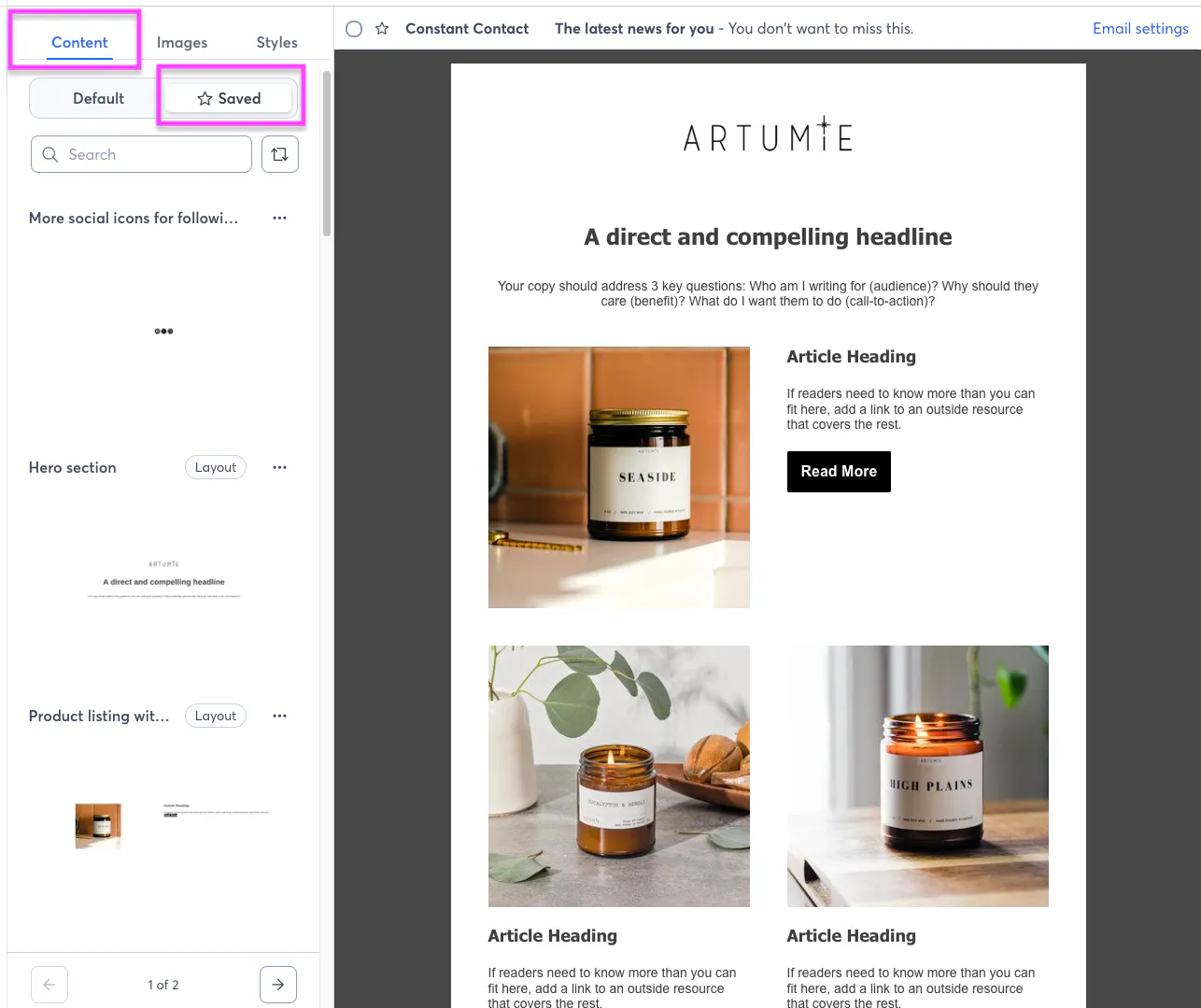
Browse your library - Access all your saved content from the new "Saved" tab in the Build panel
Drag and drop - Simply drag saved content into any email, exactly where you need it
Search and sort - Find the right content quickly with search and sorting options
Manage your library - Rename or delete content as your needs evolve
Real-World Use Cases
Create once, use everywhere:
Headers & Branding - Save your branded header once, then add it to every campaign in seconds
Promotional banners - Build a library of sale announcements, seasonal promotions, and special offers
Contact layouts - Keep your phone number, email, and social links consistent across all campaigns
Product showcases - Save your best-performing product layouts for quick reuse
Newsletter layouts - Standardize recurring sections like "What's New" or "Customer Spotlight"
Event announcements - Reuse your event registration block for webinars, conferences, and more
How It Works
Saving content
Select any row or layout in your email
Click "Save (star icon)" from the component menu
Give it a memorable name
Your content is now saved to your library
Using saved content
Open the Content panel and select the "Saved" tab
Browse, search, or sort to find what you need
Drag the content into your email
Customize as needed—each instance is independent
Tips for Getting Started
Start with your most-used content - What do you rebuild in every email? Header? Promotional banner? Save those first.
Use descriptive names - "Spring Sale Banner 2026" is more helpful than "Banner 1"
Build a promotional library - Save different versions of promotional layouts for different use cases
Keep it fresh - Periodically review and update your saved content to keep it current
We Want to Hear From You
Saved Content is just the beginning. We're already working on future enhancements and want your feedback:
What content do you find yourself recreating most often?
How are you using Saved Content in your workflow?
What would make this feature even more valuable for you?
Drop a comment below and let us know!
Ready to save time? Log in to your account, open the email editor, and start building your content library today. This feature is available for some customers as of today and will be available for everyone by mid-May.


