

We are thrilled to announce a game-changing new tool to supercharge your email marketing workflow: the Constant Contact ChatGPT app!
If you’re looking to save time and spark some creativity, this new integration allows you to build, preview, and optimize your emails in just minutes—all directly within ChatGPT.
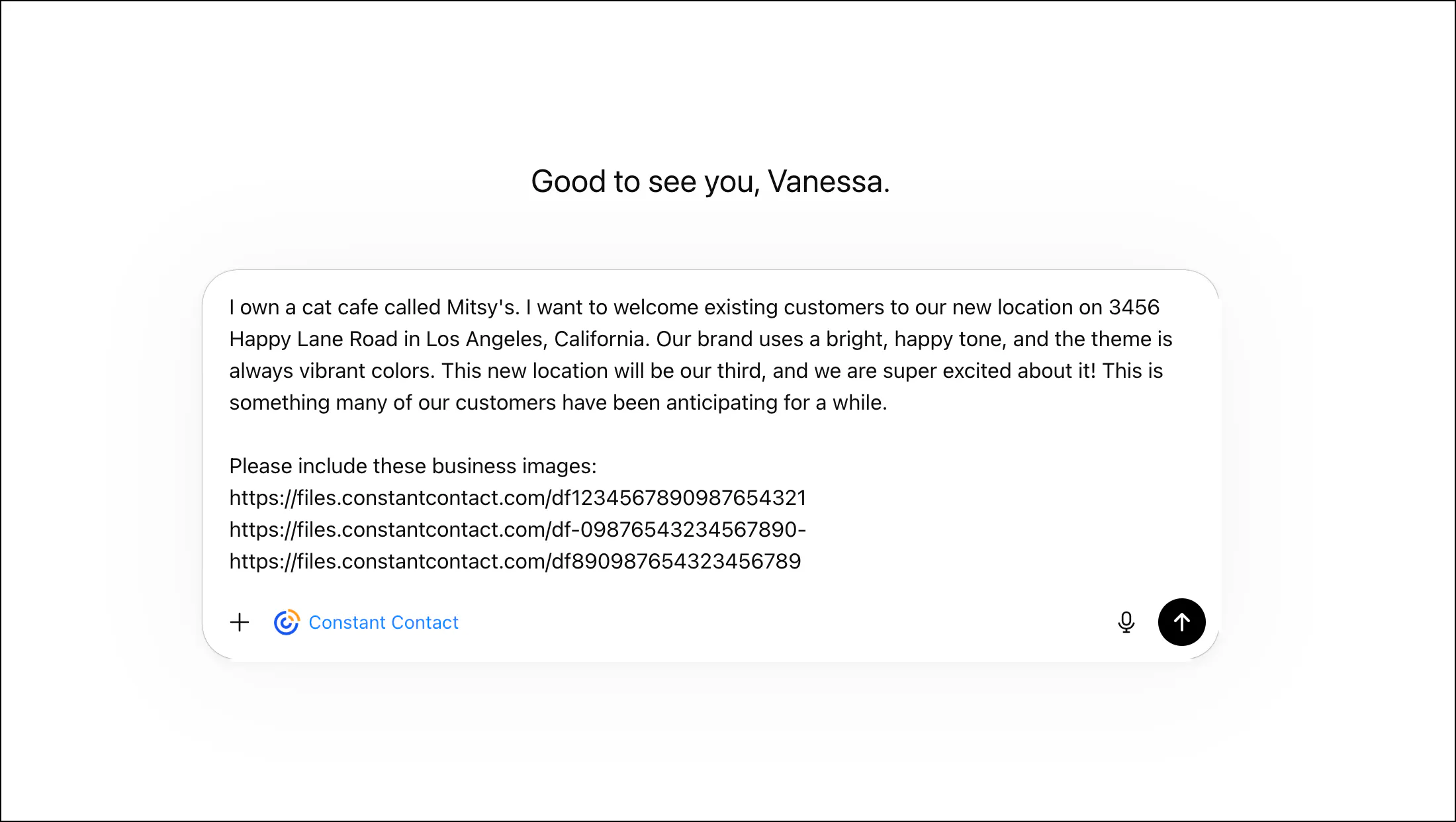
What can you do with the new app?
Generate Complete Emails in Minutes: Simply describe your business, your audience, and the primary goal of your email, and let ChatGPT draft your campaign.
Live Desktop & Mobile Previews: Get a real-time look at how your email will appear on different devices as you type out your edits.
Seamless Asset Integration: Include URLs to automatically pull images and assets directly from your Constant Contact library (like your brand logo!).
Optimize Your Content: Need help finding the right tone? The app can suggest improvements and polish your subject lines, preheader text, and calls-to-action.
Smart Global Elements: The integration automatically identifies and includes global elements, like your standard email footer.
How to get started:
In ChatGPT, click Plugins,
Search for Constant Contact, and click the Constant Contact app.
Click Install plugin, then Sign in with Constant Contact and log in.
Click Allow Access, then Start chat and describe the email you want.
Once you’re happy with the generated email, ChatGPT will provide a final link that takes you straight back into Constant Contact to finalize your sending details and launch the campaign.
Want a deeper dive? Check out our full step-by-step guide on how to Install and use the Constant Contact ChatGPT app.
We can't wait to see the incredible campaigns you build with this new tool. Drop a comment below to share your first impressions! Happy emailing!
