

Hi all, Kyle from Product here!
The team has been hard at work making the Assistant more capable, and I wanted to run through some of our recent launches from August and September 2026. Here's the short version:
Edit emails using natural language, right from the editor!
Create, edit, and publish Events, Workflows (automations), and Landing Pages
Design better-looking Social Posts with stock photos from Getty Images (we handle all the licensing for you and there's no additional charge)
The Assistant can see what's on the screen when you're browsing Constant Contact, which lets it answer your questions more quickly and accurately
If you've got a few minutes, here's the longer version!
Edit emails using natural language
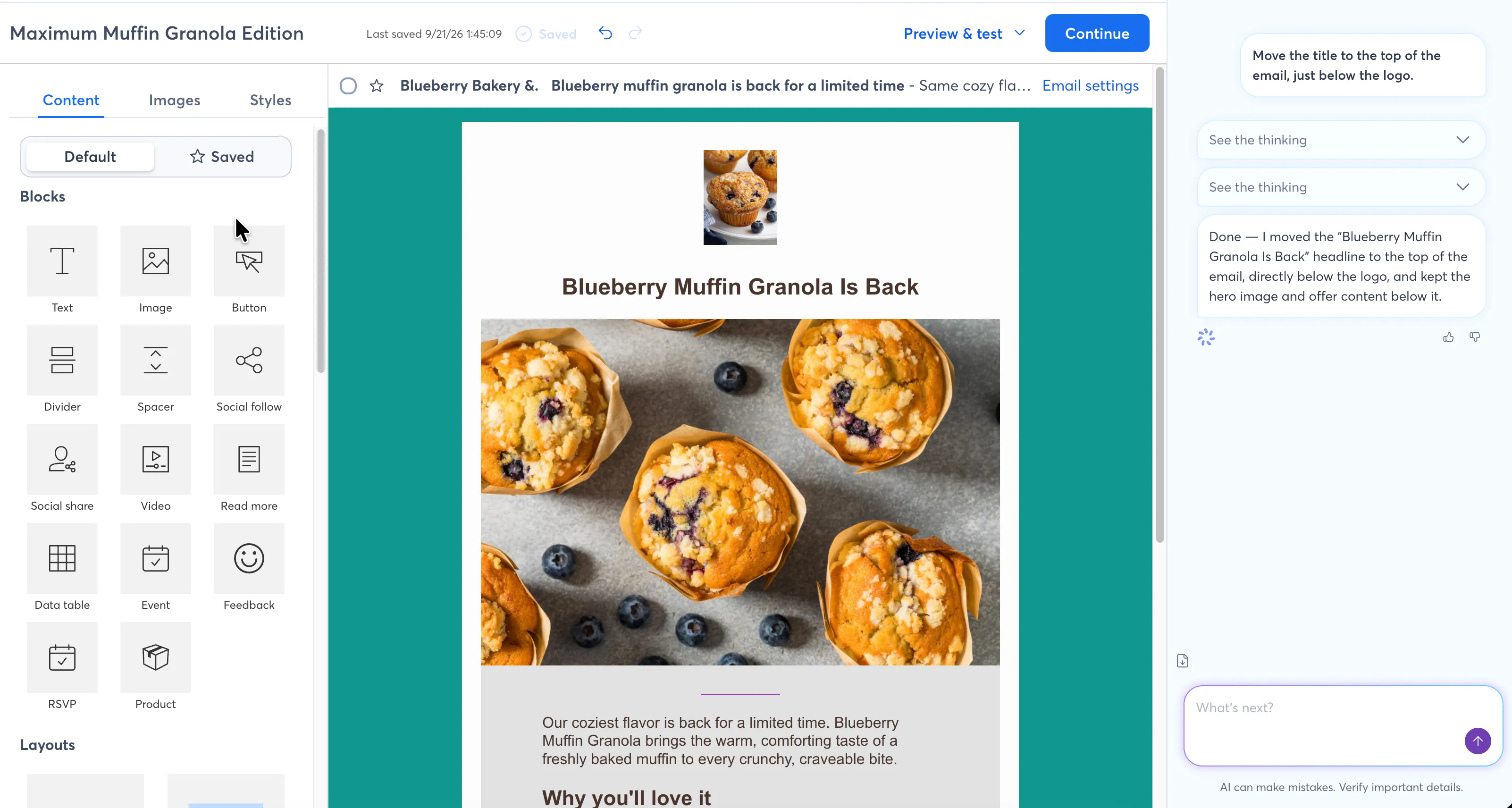
This is a big one; you can now ask the Assistant to make changes for you inside the email editor. Try asking it to handle some edits for you the next time you're working on an email and let us know what you think! Here are a few ideas:
"Change the tone to be more professional"
"Change the background color to blue"
"Use a darker font for the headline"
"Replace the hero image with something more autumn-y"
"Add a product photo below the headline"
"Link the Learn More button to our website"
Create, update, and activate Events
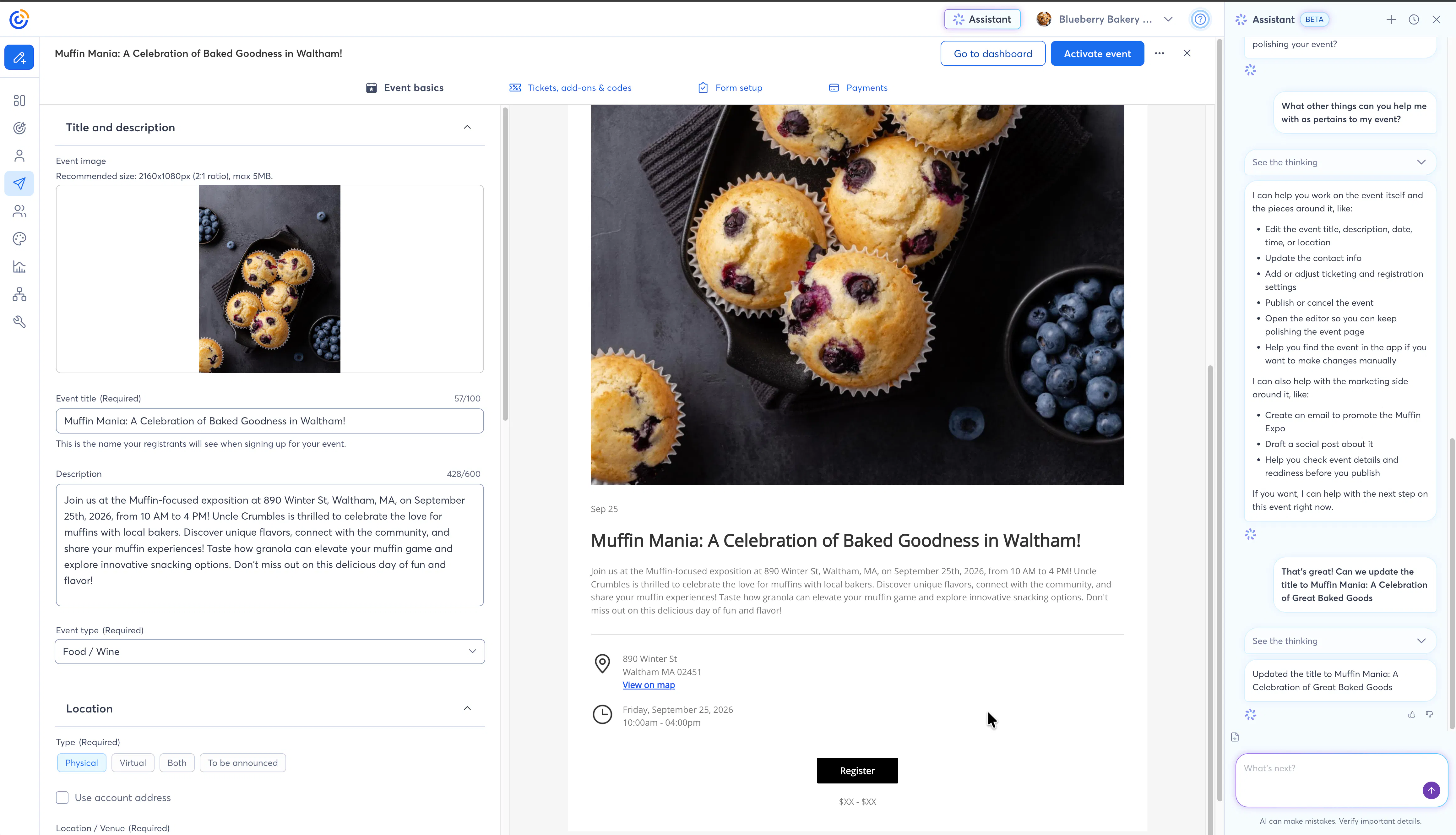
The Assistant can now help you work with Events! It's able to help with:
Collecting required inputs like titles, descriptions, locations to create a new Event
Taking you to the Event editor
Activating Events
We're working on future enhancements, including the ability to help configure tickets and registrations forms. More to come!
Create, update, and activate Workflows
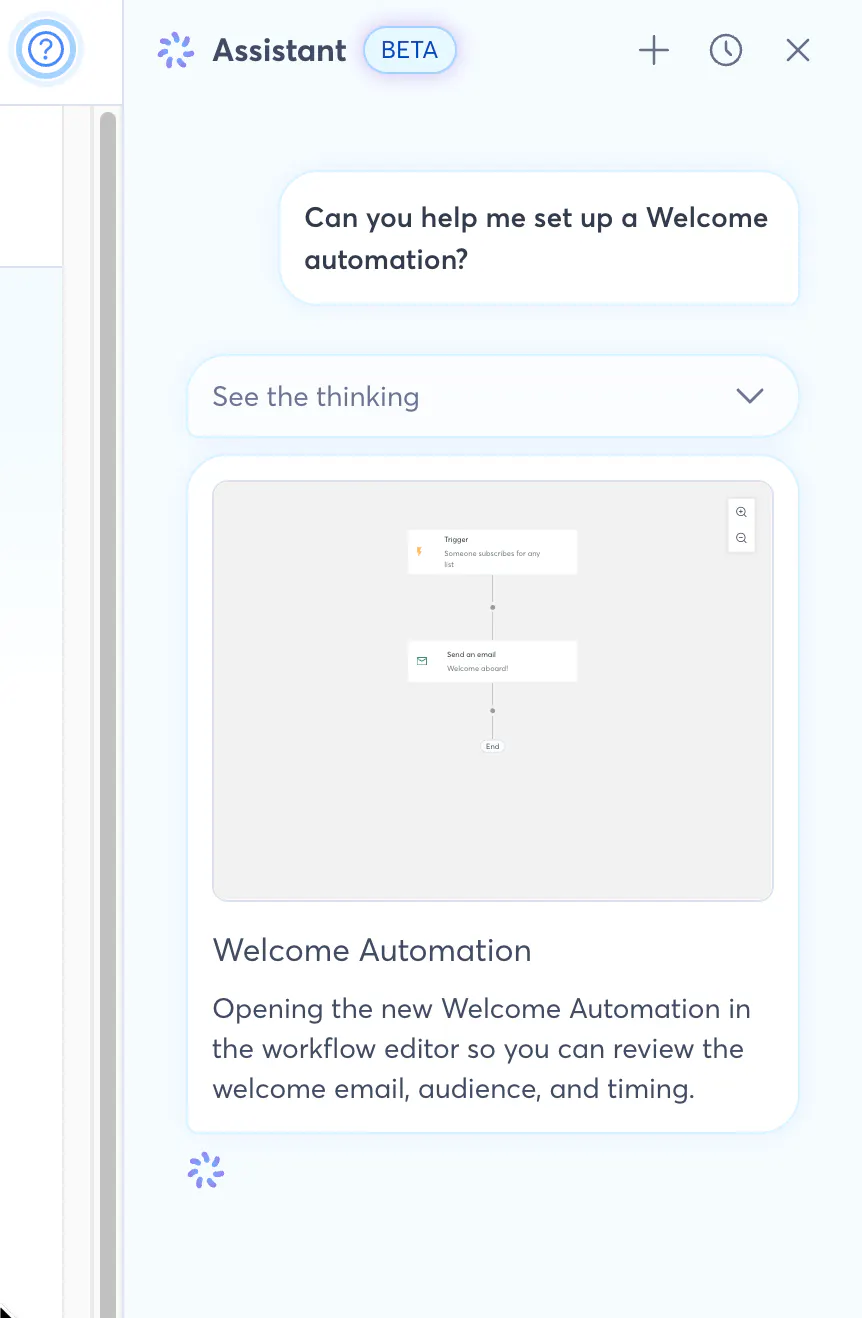
Workflows are also known as Automations, Customer Journeys, or Automated Paths. They're extremely flexible, and can be used for all sorts of things from sending out abandoned cart emails to welcoming new contacts.
The Assistant can now help you work with these marketing automations in a few different ways:
Create new automated paths from scratch or via template
Fetch path details (names, workflow steps, triggers, etc)
List out templates
Explain triggers and how they work
Add steps to pre-existing paths
Change triggers
Activate paths
Create, update, and activate Landing Pages
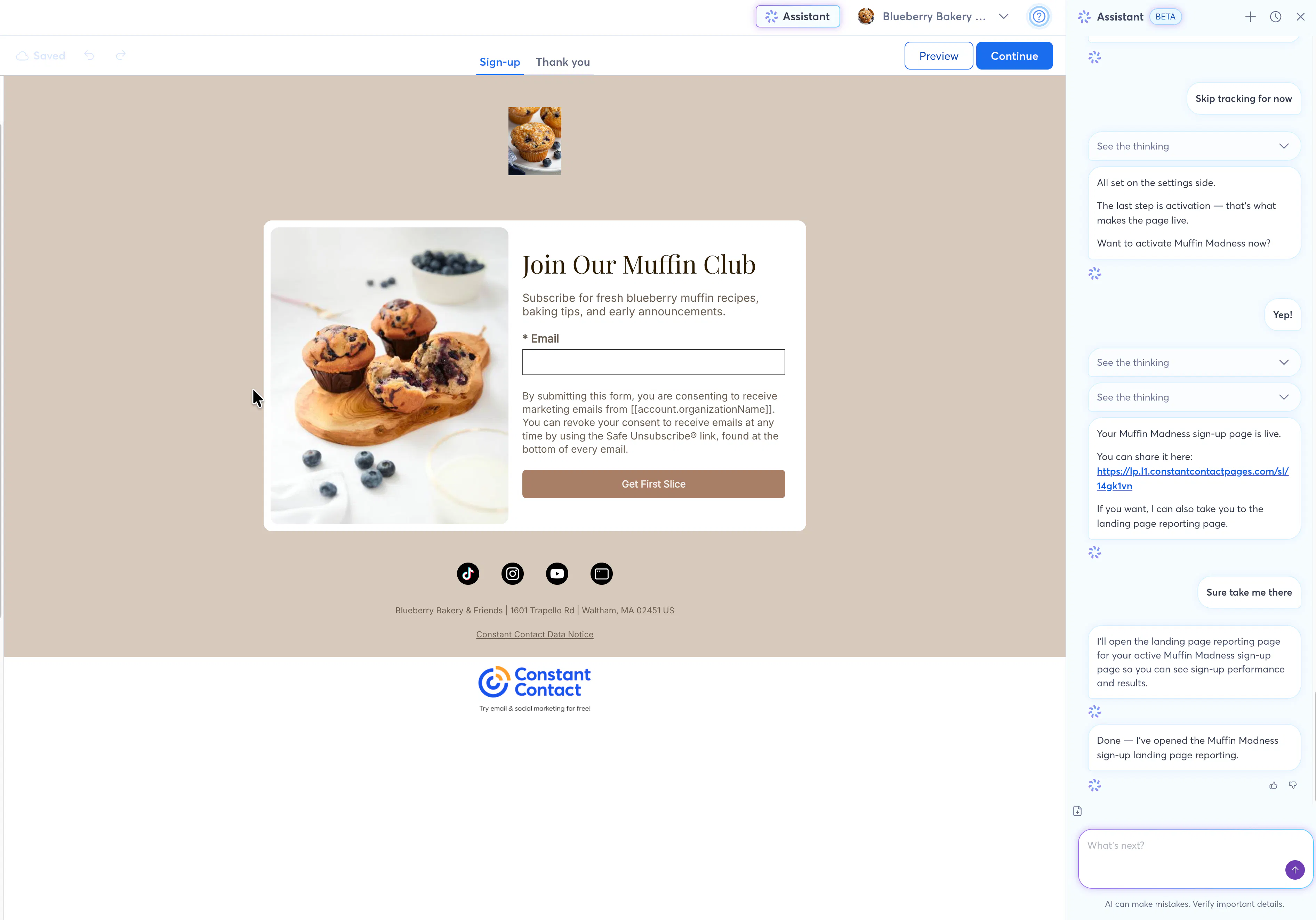
The Assistant can help you with your Landing Pages, which are great for collecting information about contacts or creating tiny, one-page websites. Both custom and sign-up varieties are supported.
Works with custom and sign-up landing pages (not surveys)
Generate different landing page layouts and options for you to choose from
Walk you through updating content and settings (like whether to have your pages discoverable via search engines)
Activate and deactivate landing pages
Fancier Social Posts
You might not be aware, but Constant Contact has a partnership with Getty Images that allows us to use images from their Essentials library when we generate emails and other content for you. This is free to you, and we take care of all of the licensing behind-the-scenes.
Up until now, we've been limited to using these with Emails and Landing Pages, but we've recently expanded Getty support to Social Posts. Now, when the Assistant drafts posts for you, it may include images from Getty.
Better awareness of what's on the screen
We've made some behind-the-scenes improvements to the Assistant so it's more aware of what's happening on the screen. This will help you get faster, more accurate answers from the Assistant, especially in situations where it needs to take you to a specific page.
This one is rolling out now and you may need to wait a bit before it's available in your account.
As we head into the fall, you can expect more improvements. SMS, Contacts, Lists, and Segments are all getting some major boosts over the next few weeks. I'll post when they're live and step you through the new tools.
Thanks again for all of your feedback in advance everyone. We appreciate you!
--Kyle
