

Hi all! Kyle here with some Product updates.
Constant Contact is about to head into our holiday "quiet period", so I wanted to post one last update for 2025...and give you a preview of some of the things our Campaign Management teams have been working on for early 2026!
Before I start, thank you to everyone who's commented, engaged, and replied to my posts over the past couple of months. I can't tell you all how much we appreciate the feedback on features and changes. We don't always get it right on the first try (even with customer interviews, research, beta testing, and the like), but your posts help us make better tools for the entire Constant Contact community.
What's launching before the holidays
A more intuitive way to collapse the Channel Manager (it works like the left nav's expand/collapse does)
Additional Narrow by tag performance improvements for folks with lots of tags and lists
The start of a number of Scheduling improvements based on your feedback, starting with some layout improvements.
Faster-loading thumbnails
A cleaned-up First Time Sender experience for brand-new customers
Lots of fixes for issues you've reported, including (but not limited to):
Scheduling Resend to Non-openers emails right at the edge of the time window
Copied emails overwriting send dates for their originals
Issues with Web Tracking data not always getting logged correctly
Early in 2026
Email & Contact Hub access for all customers
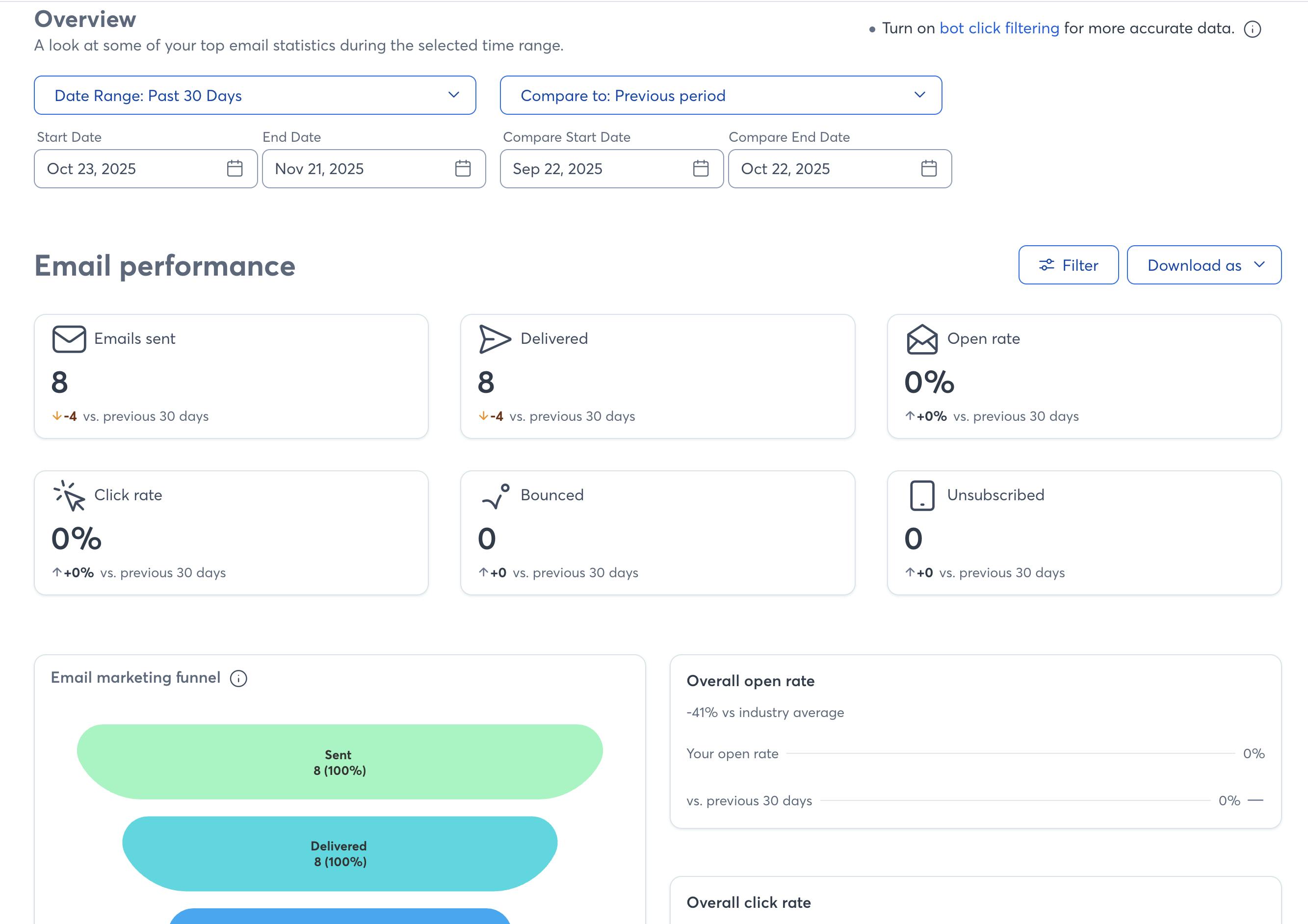
We have a few major changes coming to Reporting as we head into the new year. First, all customers will be getting access to our new Email and Contact Reporting hubs. These reports have better filtering and control over date ranges, new visualizations, and more metrics to help you understand how your Emails and Contacts are performing.
This is an example of the updated Email Hub:
And here are some examples of the new Contacts Hub:
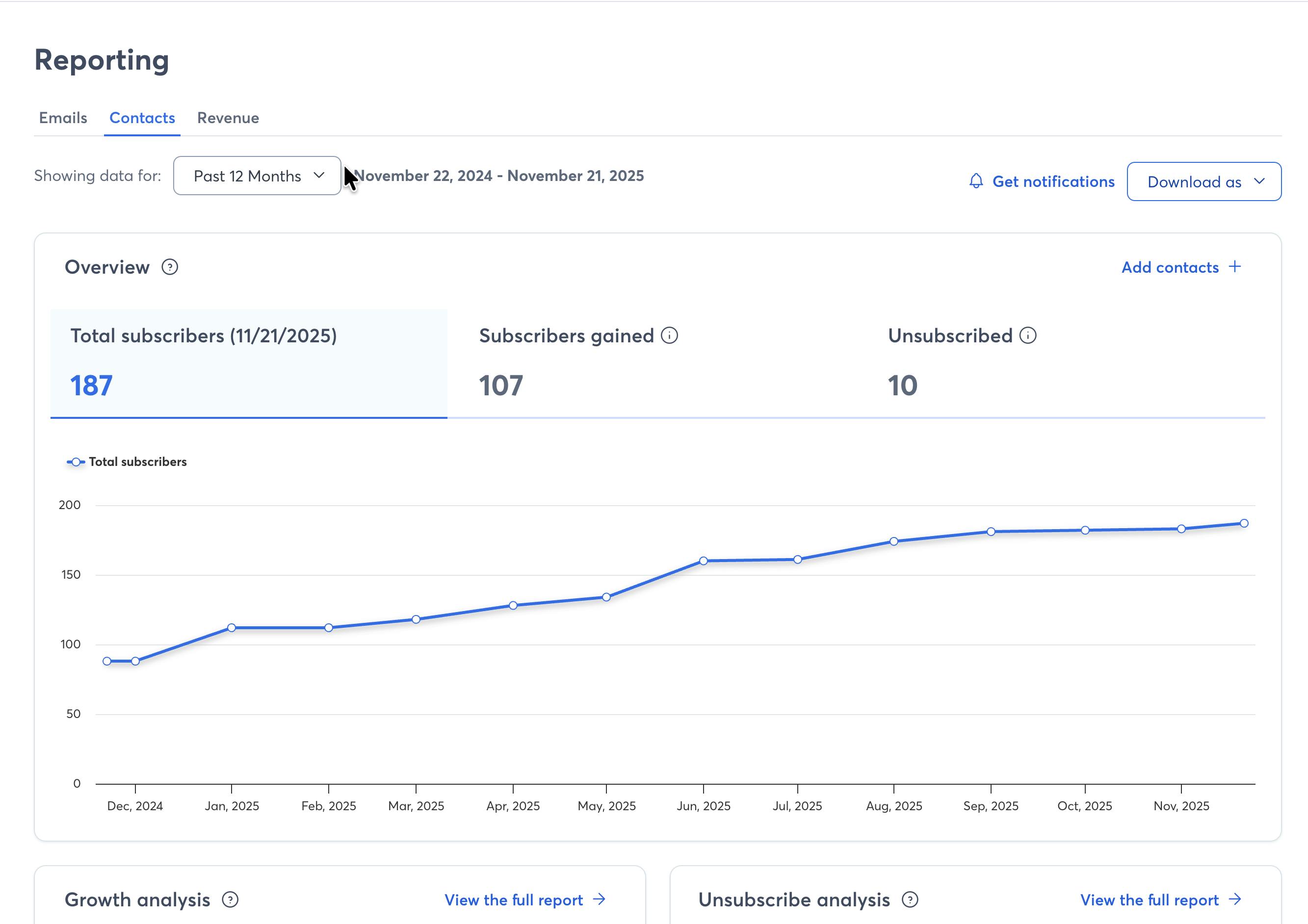
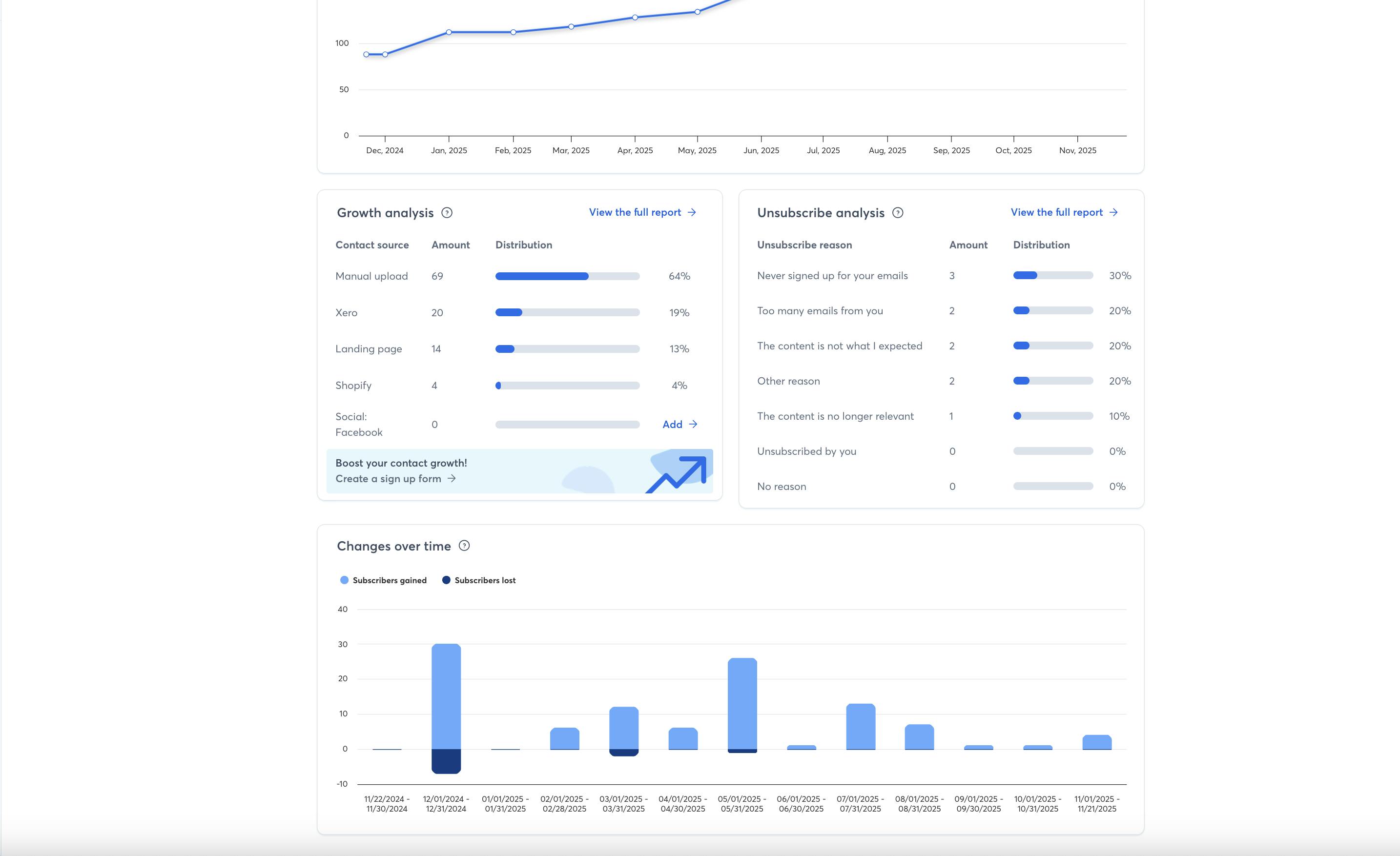
These should be shipping early in the new year after we get out of our holiday "quiet period."
More accurate Open tracking
The other major change is a follow up to our bot click filtering work from earlier in 2025! The Reporting team has been hard at work building out a way to detect what we're calling proxy opens.
Ever had a contact say they didn't open your email, but your reporting claims that they did? There's a good chance this open came from a non-human source. We've been working hard to do a better job detecting these proxy opens and splitting them out from the real, confirmed opens that we know come from people.
Once we launch our improvements to how open tracking works, a couple of things will change:
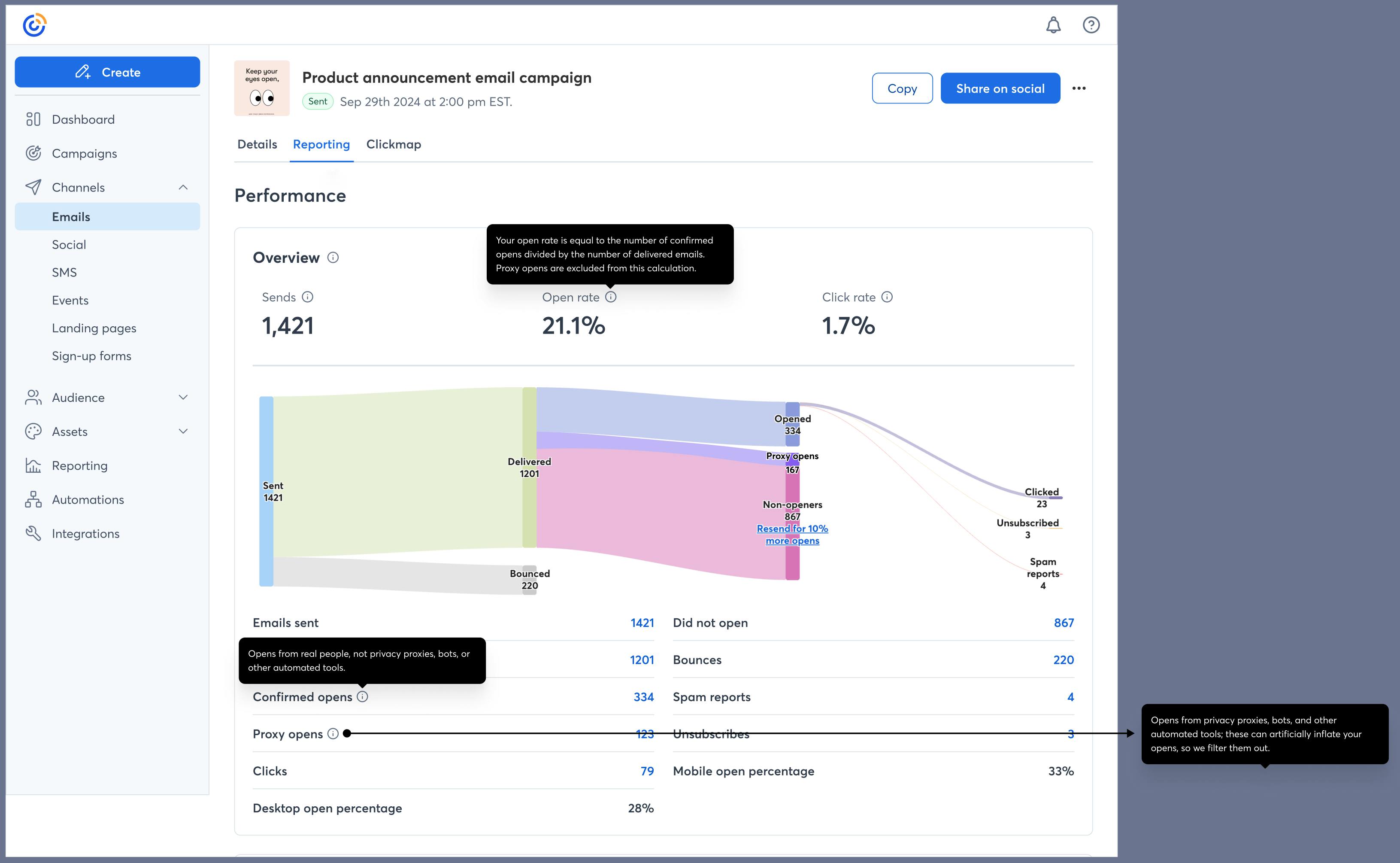
Instead of tracking Opens, you'll see two stats in your Email reports: Proxy opens and Confirmed opens.
Proxy opens are opens that we're sure come from a bot, tracking program, or privacy tool (like Apple's Mail Privacy Protection).
Confirmed opens are opens that we're sure come from a real person.
We'll update the Sankey chart so you can see these tracked separately
Open rates will be calculated using just Confirmed opens so you have the most accurate stats possible.
Look for more updates on this as we get a little closer to the middle of January 2026! We'll be launching some messaging in-product before the launch so folks get a reminder there as well.
Updated layouts and language in the Scheduling UI
We've heard a lot of feedback around Scheduling since we launched our updated "Universal Scheduling" experience in May of this year. The team has made a slew of improvements based on your feedback, and continues to do so as we head into 2026.
The theme for this next round of changes is keep it simple -- we're going to be simplifying the layout of the page and the language we're using to explain features. The goal here is to make it easier for folks to understand the basics: what am I sending, who am I sending it to, and when am I sending it?
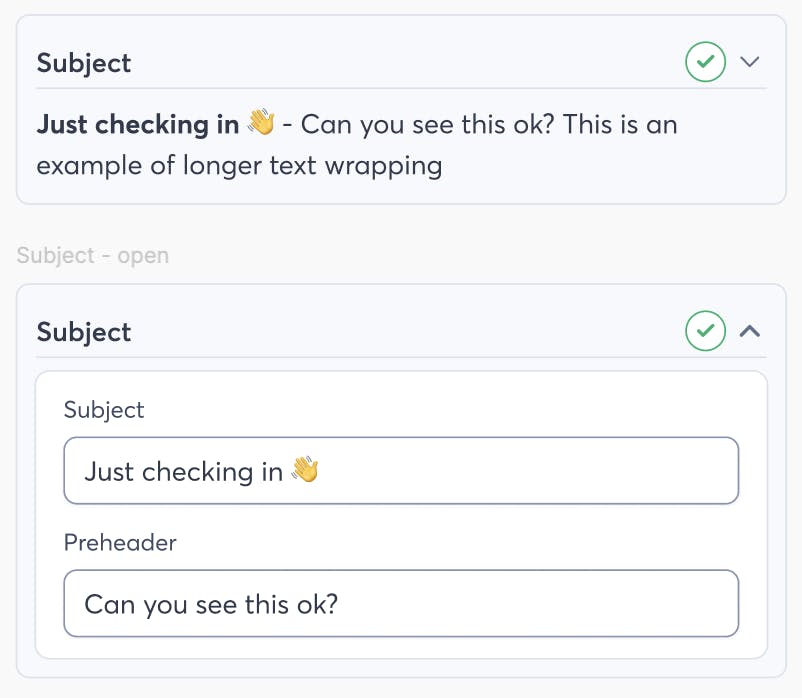
One place you'll see this is in the collapsable accordions on the Scheduling UI -- you'll be able to see the most important information even when they're closed. Here's an example of the Subject section for emails:
Thanks again everyone, and have a great holiday! If there's anything you need, you can always reply to this thread or private message me.
--Kyle

