

Afternoon all!
It's going to be a busy week for the Performance & Analytics team here at Constant Contact. We've got no less than four updates and experiments rolling out between now and April 6th. Here's what you can look forward to shortly:
Now: Mobile web support for Email Reporting
March 31st: Expanded Reporting capabilities in the AI Assistant
April 2nd: Email insights on the Dashboard
April 6th: Relaunch of Apple MPP (proxy opens)
Mobile web versions of the SCED and Email Reporting Hub pages
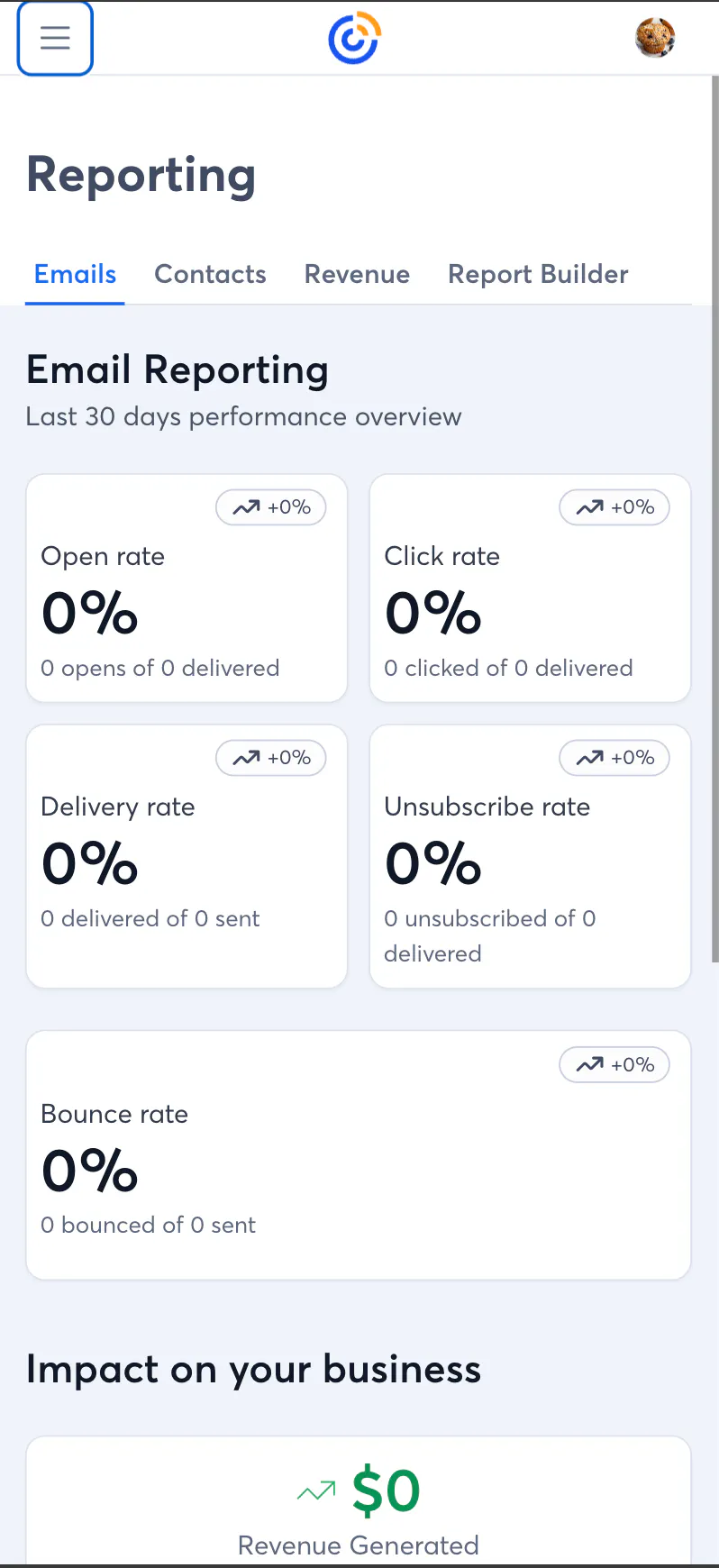
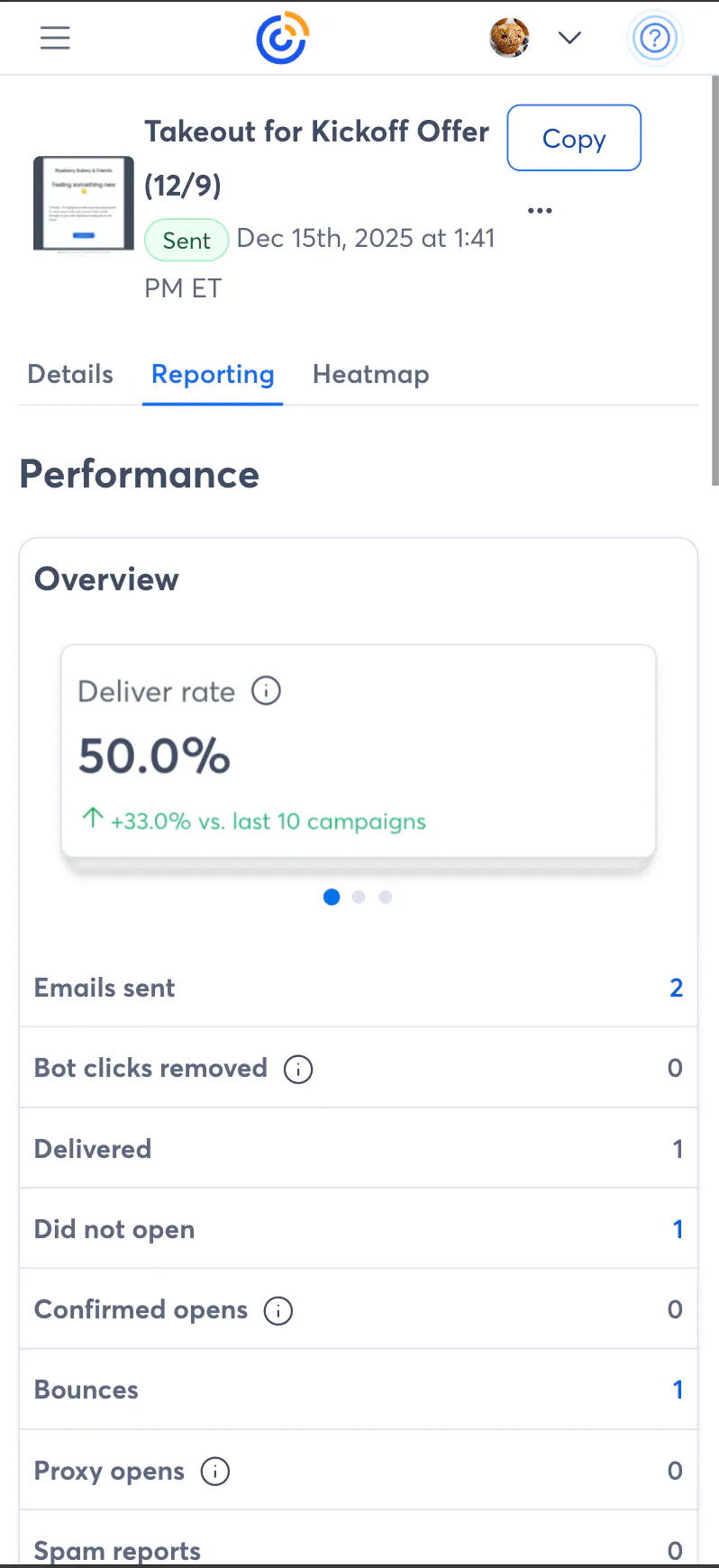
Many of you have asked for a way to access basic email reporting through the browser on your phone without downloading our mobile app. While I absolutely recommend going the mobile app route (available on the App Store and Google Play), we are launching mobile web-friendly versions of the Single Campaign Email Details page (single email reporting) and the Email Reporting Hub (channel-level metrics) starting today, March 30th.
Once you log in to constantcontact.com on your mobile browser, you'll see that we've added a Reporting option to the navigation on the left. Just tap it to access reporting stats.
This is being slowly rolled out, so it may take a week or two for the changes to appear on your account.
More reporting capabilities in the new AI Assistant
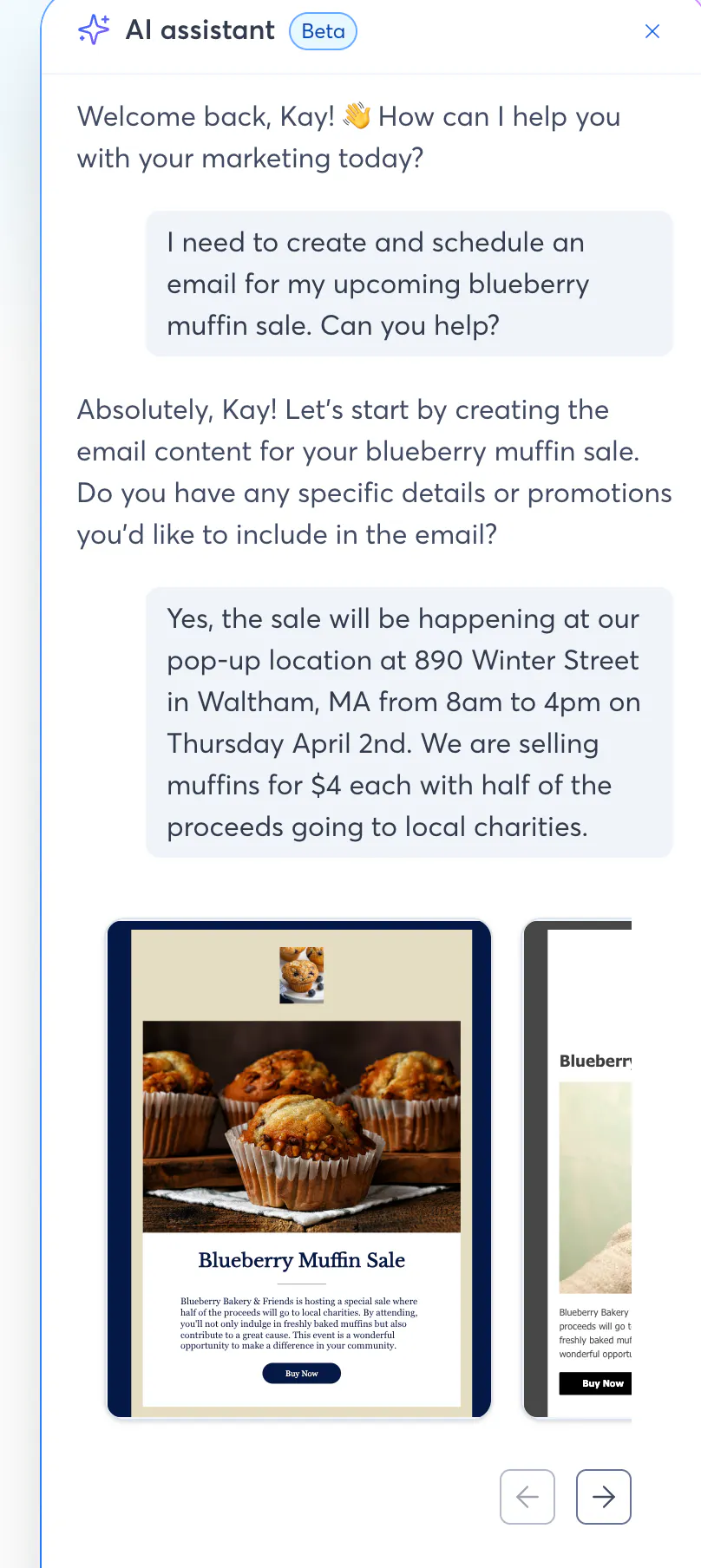
The new AI Assistant is getting some Reporting improvements starting tomorrow, March 31st. For the AI aficionados out there, the folks on the Analytics team have built out a new Model Context Protocol (MCP) system for the Assistant that adds the following tools to its toolbox:
Search for and list email campaigns (including Customer Journeys)
Get sends, bounces, opens, clicks, and unsubscribes for your emails
Break down click performance so you know what's popular in your messages
Analyze audience engagement hour-by-hour
For those using an eCommerce integration, get revenue stats and order attribution information
The TL;DR is that the Assistant will be able to work with your email metrics and stats to help you understand what's going on (and, soon, what to do about your rates changing). Here are a few things you can try asking it:
I want to see the performance of my recent email campaigns.
I want a summary of my last email.
Show me what times of day contacts are opening my emails, and group them by email domain.
I want to see my top performing emails.
What is the best time of day to send my emails?
How did my last two emails compare to one another?
Access to the new Assistant is slowly rolling out over the next few months; let us know if you'd like to try it out early and we can get you opted-in. Next up: offering suggestions on what to do about changing metrics and doing those things for you (with your permission). Stay tuned!
Insights about recent emails on the Dashboard
We know that most folks aren't digging into their detailed email reporting on a regular basis, so we're trying to be a little more proactive about how we get insights to you. Starting on April 2nd, 2026 you'll be able to see an insight about your most recent email on the Dashboard right when you log in.
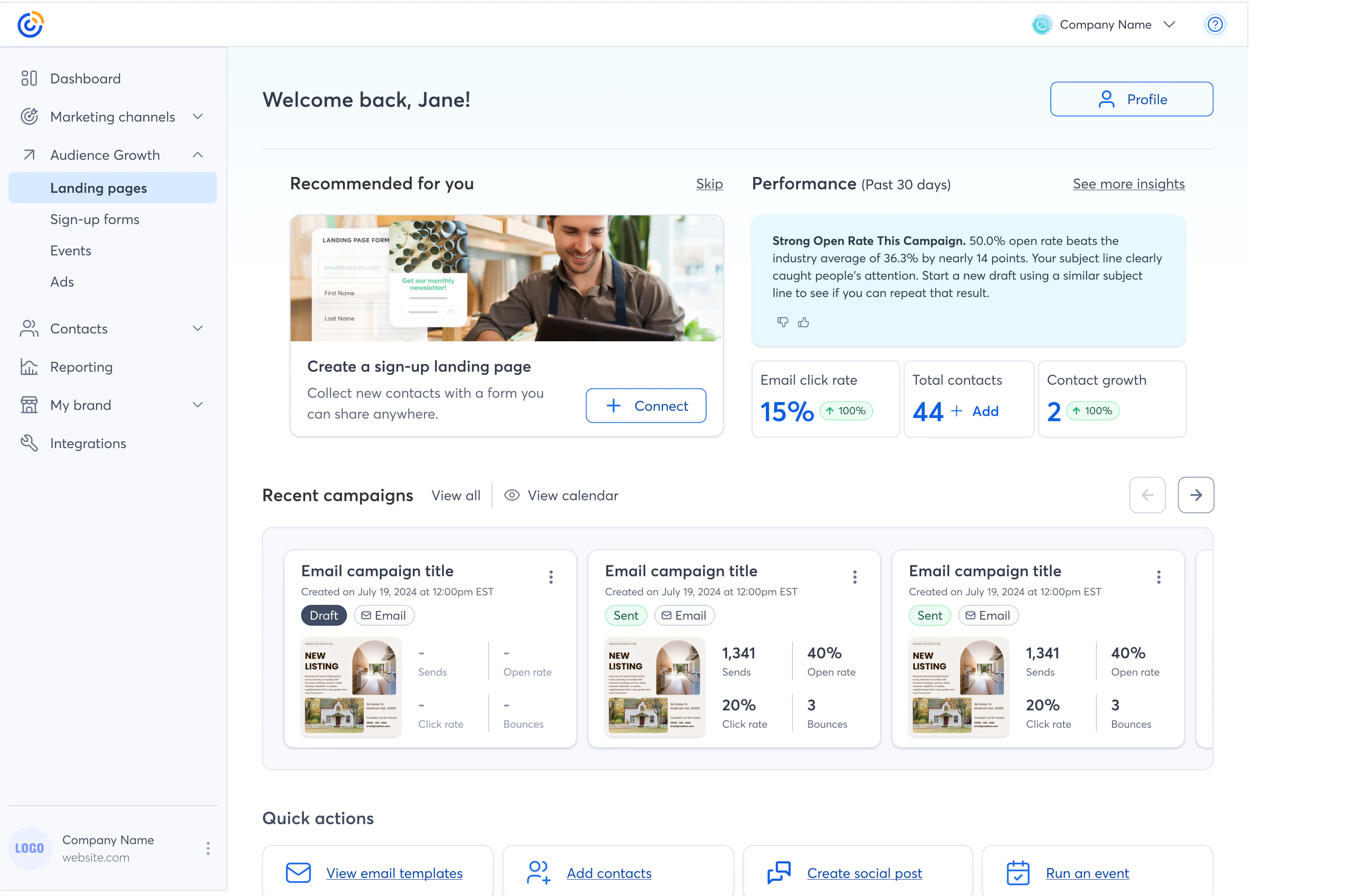
We're putting a lot of work into tuning these, so your feedback is welcome! We're not going to get them perfect on the first try. You can use the thumbs up/thumbs down icons to let us know what you think. If you thumbs down something, we'll ask you for some (optional) additional feedback. We appreciate your candor; it'll help us make these insights better!
Next up here: showing you what to do about each insight and doing those things for you (with your permission). Stay tuned!
Apple MPP / proxy opens relaunch
We heard you all loud and clear a few weeks back: "Don't touch my Open Rates and don't change how the product works!"
On April 6th, we're re-launching support for Apple MPP (aka "proxy opens"). Your opens rates are not changing and the way the product works isn't changing either. When we re-launch, the only mentions of confirmed and proxy opens will be on the Single Campaign Email Details page.
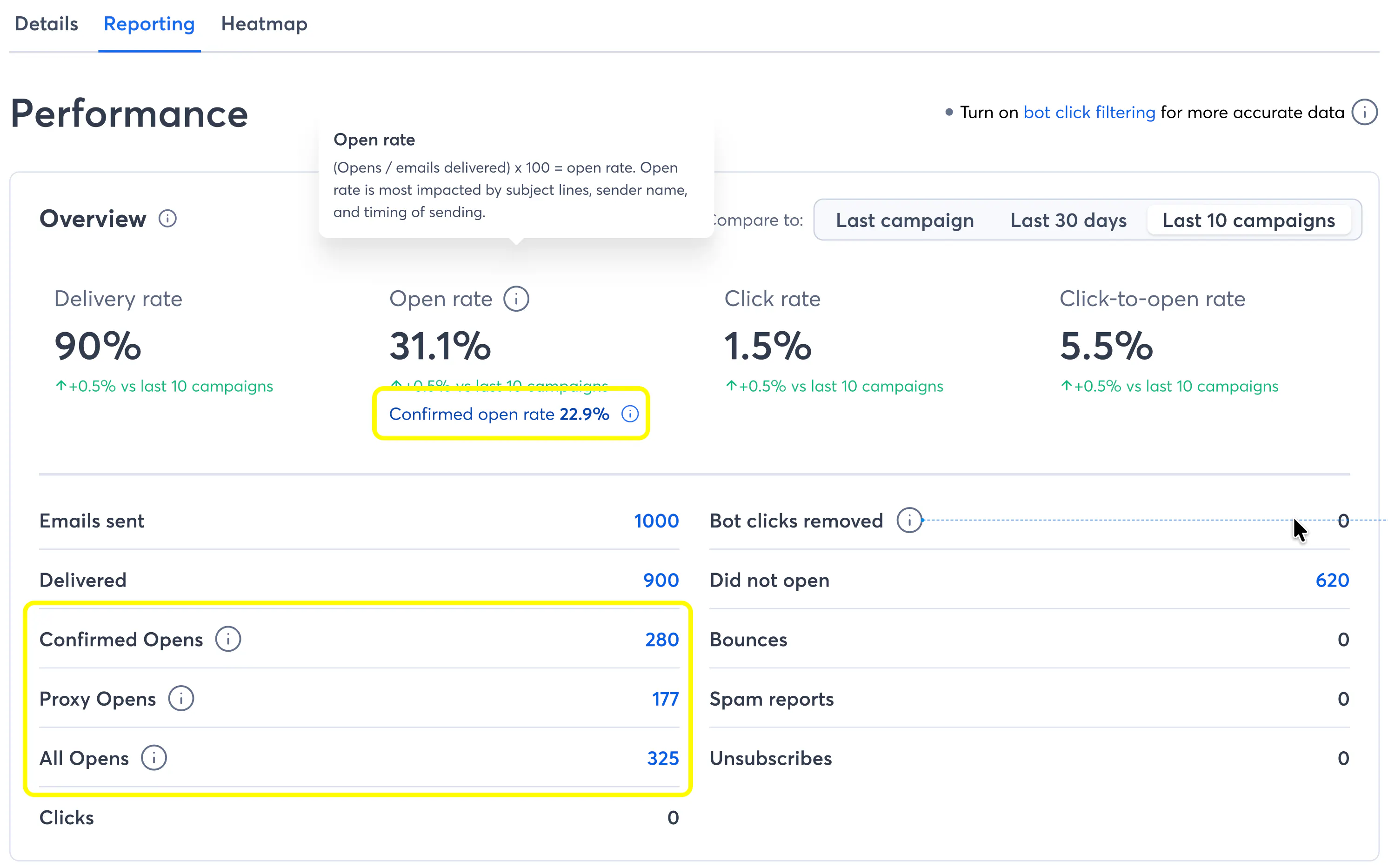
We will continue to present the classic Open Rate as the primary Open Rate in the product. The main Reporting pages, Email reporting details, Campaign List, etc will all use the Open Rate you're accustomed to.
The way the product behaves is not changing. For example, we won't send a resend to non-openers email to any contact that we've logged an open for. Doesn't matter if it's confirmed or proxy.
On the Single Campaign Email Details page, you'll see a "Confirmed open rate" shown underneath that represents the conservative calculation (only using confirmed opens).
Down in the table of email metrics on the Single Campaign Email Details page, you'll see that we've split out opens into three categories:
Confirmed opens
Proxy opens
All opens (what Opens represents today)
We've added drill-down reports for all of our new open categories to provide transparency to customers
We've stopped counting proxy opens as "non-opens" in the Sankey chart.
As always, thank you for your continued support and feedback -- I (and my teammates on Analytics) appreciate it!
--Kyle
